Exact2Pass

Last Update 10 hours ago Total Questions : 16
The Advanced Deploy VMware NSX-T Data Center 3.x content is now fully updated, with all current exam questions added 10 hours ago. Deciding to include 3V0-41.22 practice exam questions in your study plan goes far beyond basic test preparation.
You'll find that our 3V0-41.22 exam questions frequently feature detailed scenarios and practical problem-solving exercises that directly mirror industry challenges. Engaging with these 3V0-41.22 sample sets allows you to effectively manage your time and pace yourself, giving you the ability to finish any Advanced Deploy VMware NSX-T Data Center 3.x practice test comfortably within the allotted time.
Task 11
upon testing the newly configured distributed firewall policy for the Boston application. it has been discovered that the Boston-Web virtual machines can be “pinged" via ICMP from the main console. Corporate policy does not allow pings to the Boston VMs.
You need to:
• Troubleshoot ICMP traffic and make any necessary changes to the Boston application security policy.
Complete the requested task.
Notes: Passwords are contained in the user _readme.txt. This task is dependent on Task 5.
Task 8
You are tasked With troubleshooting the NSX IPSec VPN service Which has been reported down. Verify the current NSX configuration is deployed and resolve any issues.
You need to:
• Verify the present configuration as provided below:

Complete the requested task.
Notes: Passwords are contained in the user_readme.txt. This task is not dependent on another. This task Should take approximately 15 minutes to complete.
Task 4
You are tasked with creating a logical load balancer for several web servers that were recently deployed.
You need to:


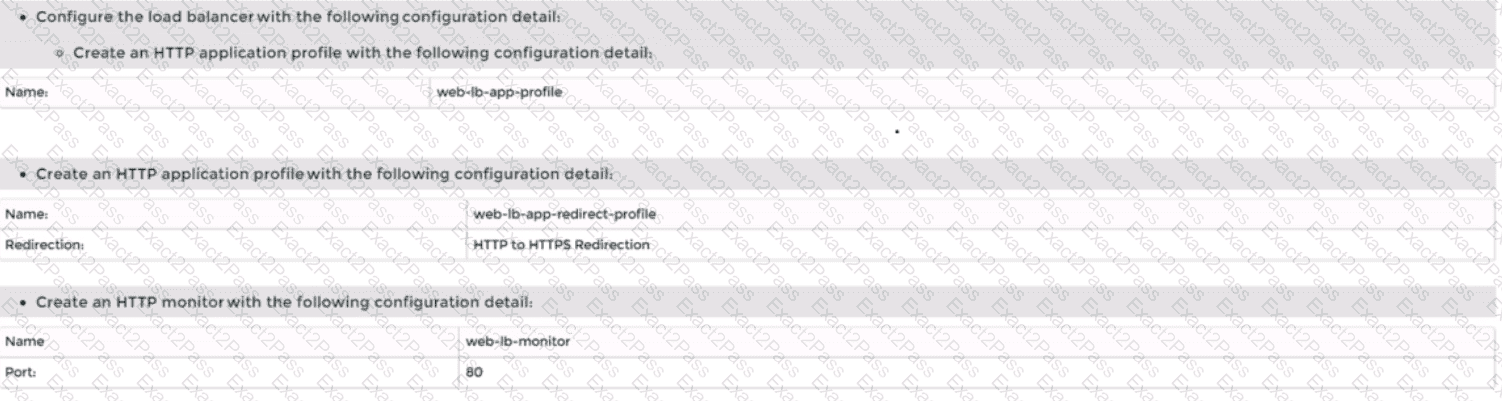
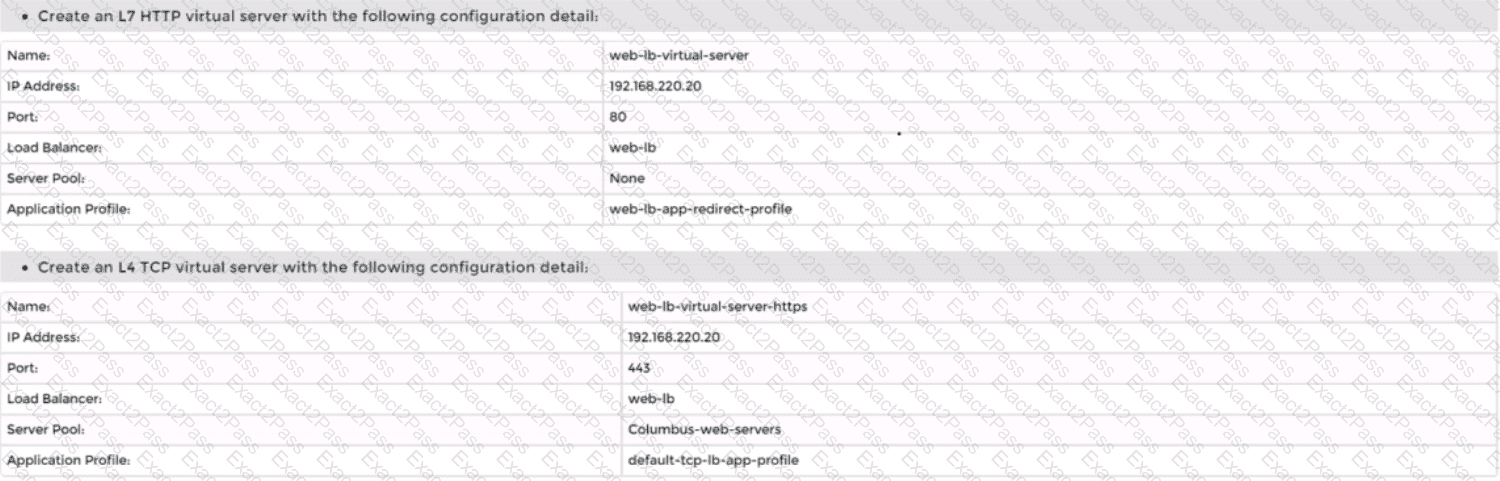
Complete the requested task.
Notes:
Passwords are contained in the user_readme.txt. Do not wait for configuration changes to be applied in this task as processing may take some time to complete. This task should take up to 35 minutes to complete and is required for subsequent tasks.
Task 6
You are asked to integrate NSX manager with LDAP to better control NSX administrators' roles and responsibilities. Ensure users can manage the NSX environment utilizing Active Directory login credentials.
You need to:
• Configure NSX Manager LDAP integration to the corp.local domain using the following configuration detail:
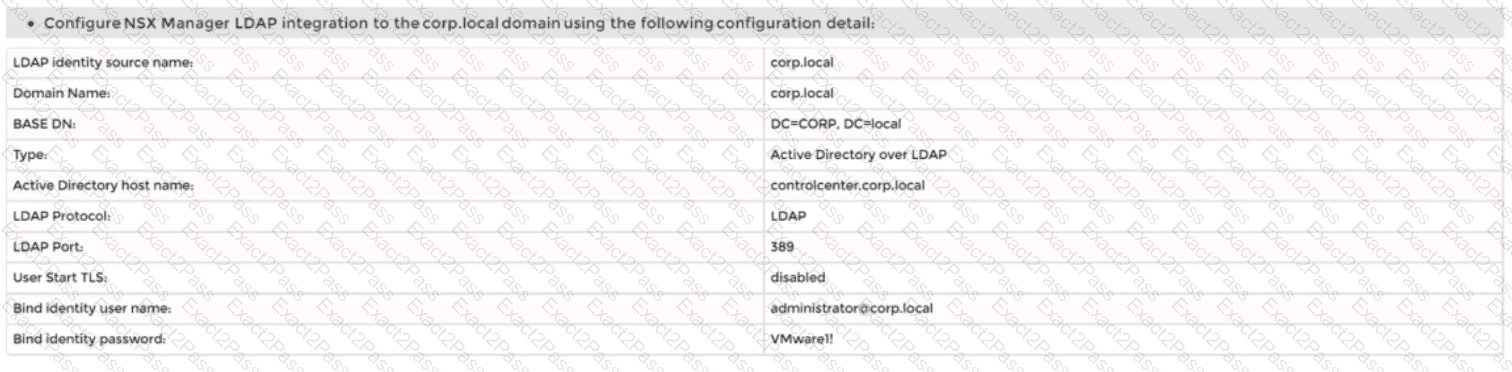
• Configure the user nsx-admin@corp.local Active Directory account as an Enterprise Admin access role.
Complete the requested task.
Notes:
Passwords are contained in the user_readme.txt. You may want to move to other tasks/steps while waiting for configuration changes to be applied. This task should take approximately 15 minutes to complete.

