Exact2Pass

Last Update 10 hours ago Total Questions : 68
The HTML5 Application Development content is now fully updated, with all current exam questions added 10 hours ago. Deciding to include INF-306 practice exam questions in your study plan goes far beyond basic test preparation.
You'll find that our INF-306 exam questions frequently feature detailed scenarios and practical problem-solving exercises that directly mirror industry challenges. Engaging with these INF-306 sample sets allows you to effectively manage your time and pace yourself, giving you the ability to finish any HTML5 Application Development practice test comfortably within the allotted time.
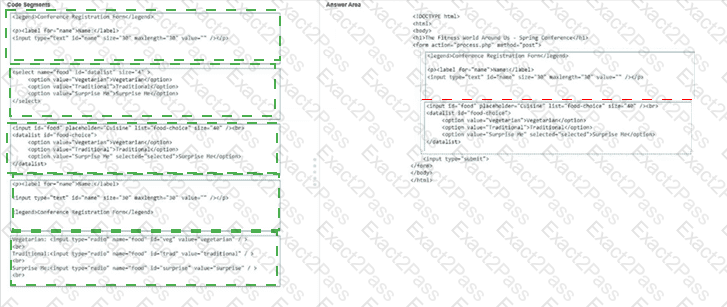
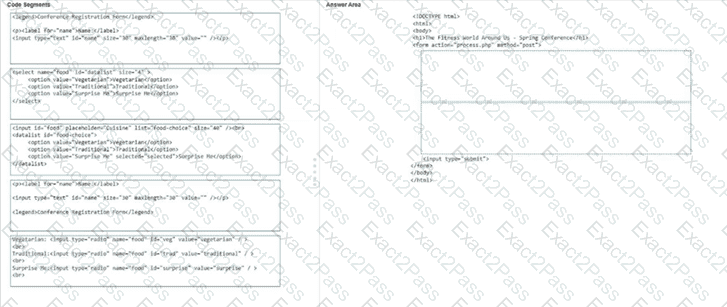
You are creating a dietary request form for an upcoming conference. The form must include the following elements:
• The title " Conference Registration Form "
• A Name input field for the attendee ' s name
• A list of food options the attendee can select by using the mouse or typing
Complete the code by moving the appropriate code segments from the list on the left to the correct locations on the right. You may use each code segment once, more than once, or not at all.
Note: You will receive partial credit for each correct response.
You define the following layout:
< !DOCTYPE html >
< html >
< head >
< style >
section {
display: flex;
align-items: center;
flex-wrap: wrap;
min-height: 200px;
width: 700px;
background: linen;
}
section p {
flex: 1;
min-width: 200px;
padding: 20px;
}
< /style >
< /head >
< body >
< h2 > Exhibits to visit at the zoo < /h2 >
< section >
< p style= " order: 3 " > Lions < /p >
< p style= " order: 4 " > Tigers < /p >
< p style= " order: 2 " > Bears < /p >
< p style= " order: 1 " > Zoo Trip < /p >
< /section >
< /body >
< /html >
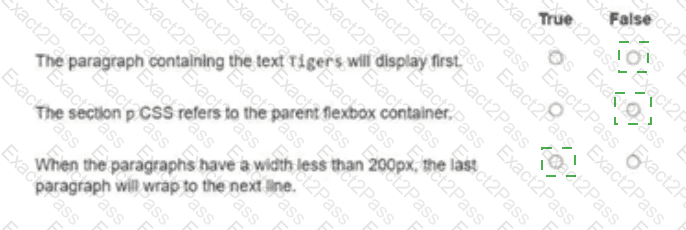
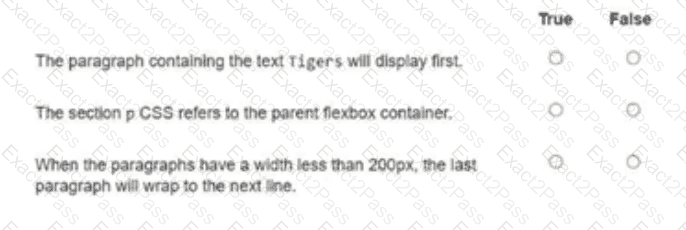
For each statement about the markup shown on the left, select True or False.
Which two CSS segments are valid filter properties? Choose 2.
You write the following markup to create a page. Line numbers are included for reference only.
01 < !DOCTYPE html >
02 < html >
03 < head >
04 < style >
05
10 < /style >
11 < /head >
12 < body >
13 < svg height= " 500 " width= " 500 " >
14 < defs >
15 < filter id= " f2 " x= " 0 " y= " 0 " width= " 200% " height= " 200% " >
16 < feOffset result= " offOut " in= " SourceGraphic " dx= " 20 " dy= " 20 " / >
17 < feGaussianBlur result= " blurOut " in= " offOut " stdDeviation= " 10 " / >
18 < feBlend in= " SourceGraphic " in2= " blurOut " mode= " normal " / >
19 < /filter >
20 < /defs >
21 < text x= " 10 " y= " 100 " style= " fill:red; " > Blur Me! < /text >
22 Sorry, your browser does not support inline SVG.
23 < /svg >
24 < /body >
25 < /html >
An SVG blur filter is defined in the markup on the left. You need to apply the SVG blur filter to the text element on the page.
Which CSS code should you insert at line 05?
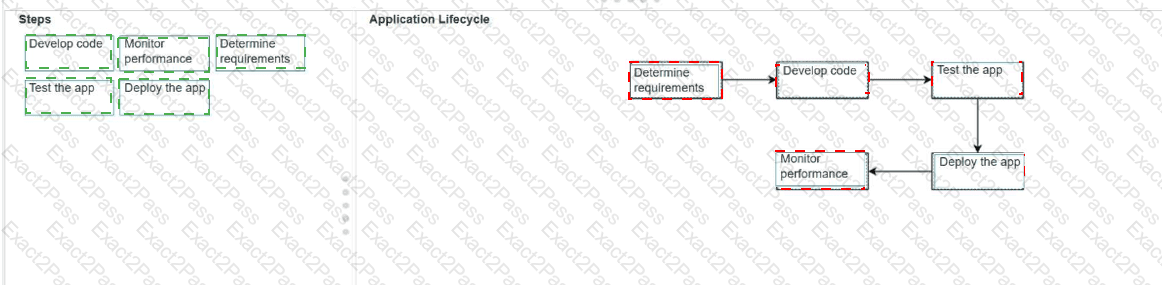
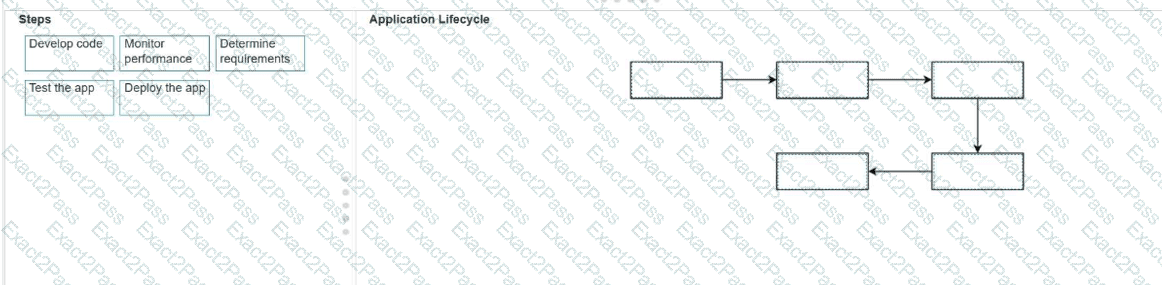
You are given the design for an app. The project manager asks you to outline the steps you must take to release and maintain the app.
Move each step from the list on the left to its correct sequence in the application lifecycle on the right.
Note: You will receive partial credit for each correct response.
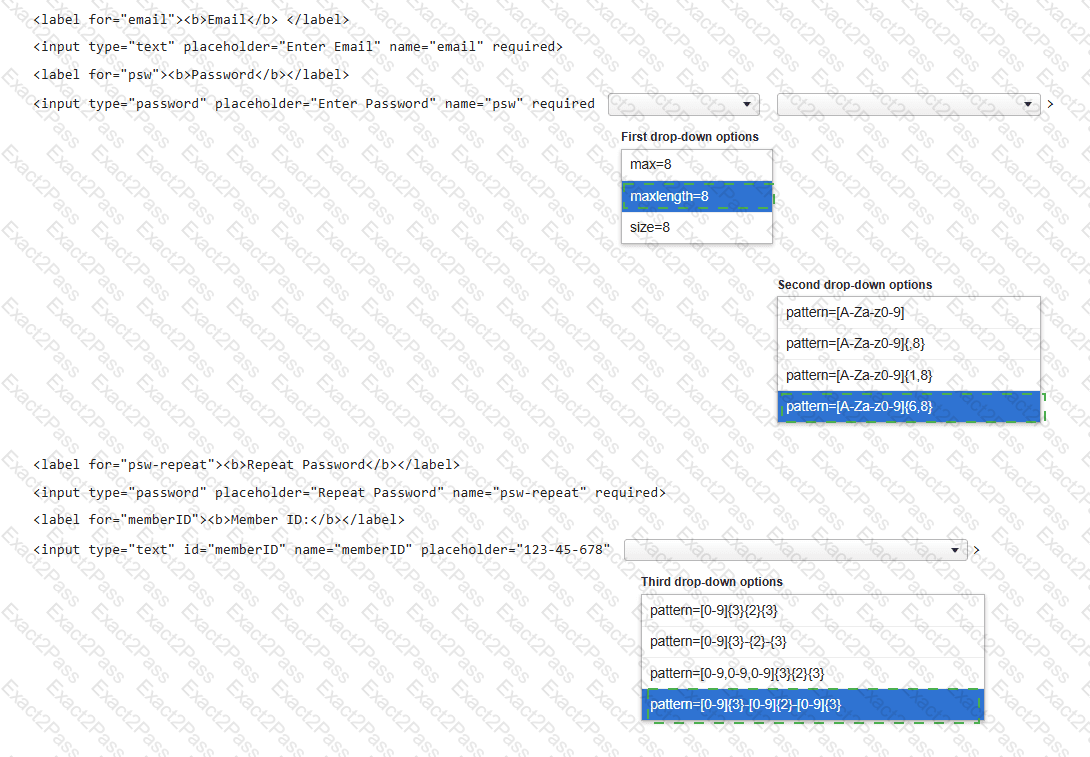
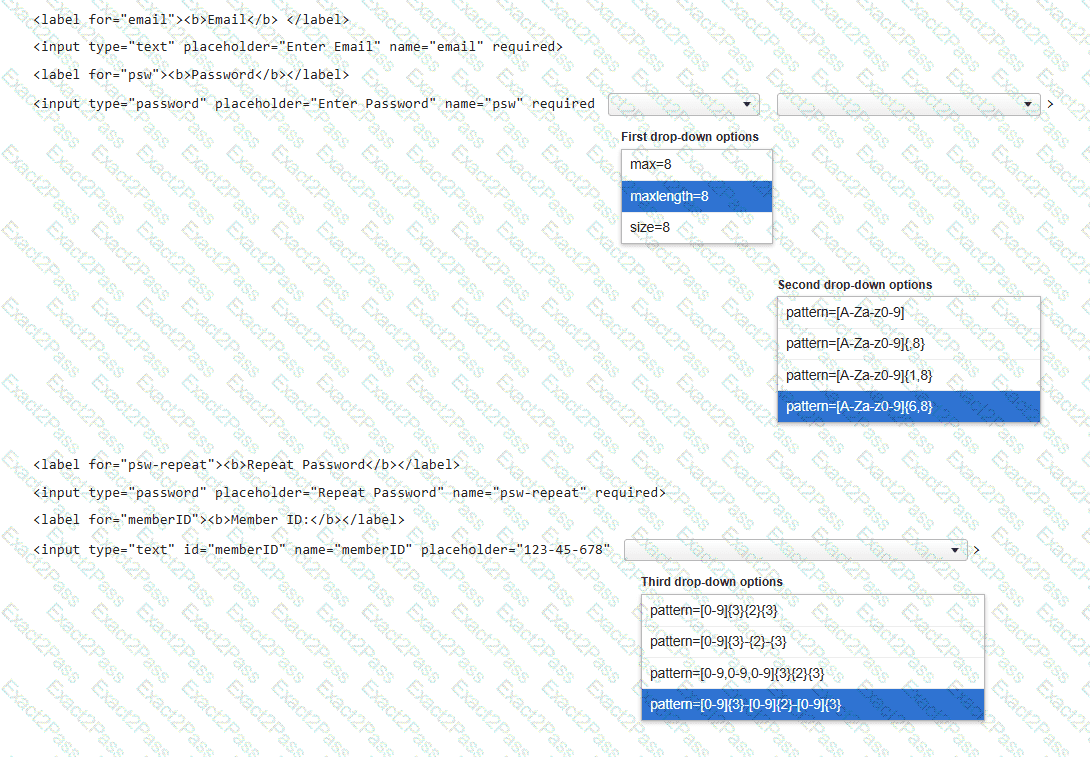
You need to complete the code for a registration form that must meet the following criteria:
• The Password must be 6–8 characters long and use only letters and numbers.
• The Member ID must follow the pattern ###-##-###.
Complete the markup by selecting the correct option from each drop-down list.
Note: You will receive partial credit for each correct selection.
You need to contain overflowing text inside the element ' s border without creating unneeded scrollbars or losing text. Which attribute setting should you use?
You are creating a form that asks a user to enter their phone number. The form must be submitted only if the phone number field is not empty and matches the format 111-444-7777. Which markup should you use?
The development team just released a new version of an app for your team to test. Which three tasks should you perform during testing? Choose 3.
You need to create the layout shown, which defines five content areas:
Logo and page title
Menu
Main content area
Additional content area
Copyright and contact information
You define the following classes: