Exact2Pass

Last Update 20 hours ago Total Questions : 30
The Excel 2013 content is now fully updated, with all current exam questions added 20 hours ago. Deciding to include 77-420 practice exam questions in your study plan goes far beyond basic test preparation.
You'll find that our 77-420 exam questions frequently feature detailed scenarios and practical problem-solving exercises that directly mirror industry challenges. Engaging with these 77-420 sample sets allows you to effectively manage your time and pace yourself, giving you the ability to finish any Excel 2013 practice test comfortably within the allotted time.
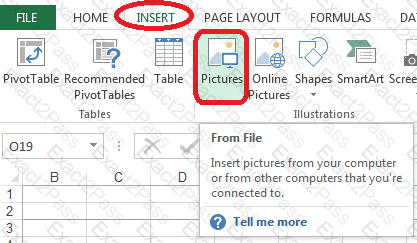
Insert a picture.
To the right of the data
File source Books.jpg
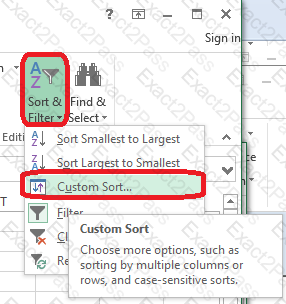
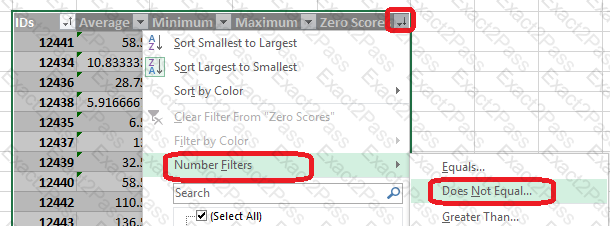
Sort and Filter.
Apply a sort and a filter to the table.
Cell range B6:F29
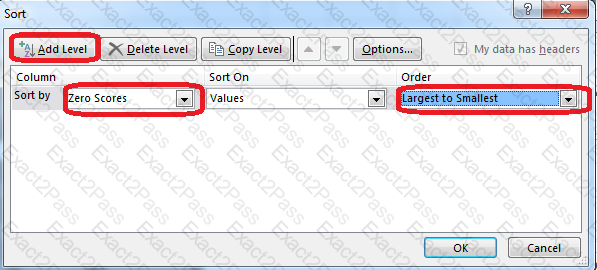
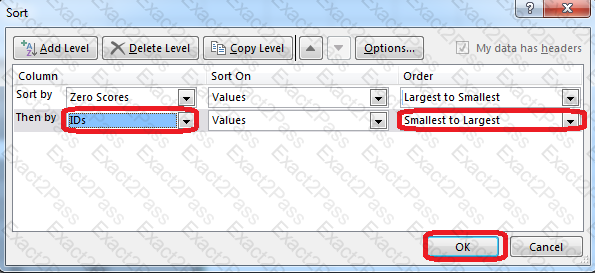
Sort
Column Zero Scores Order Largest to Smallest
Column IDs Order Smallest to Largest
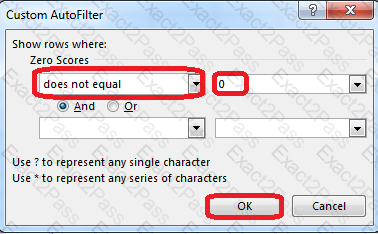
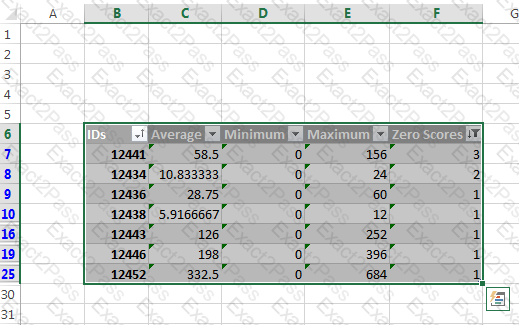
Filter
Hide students ids with no zero scores.
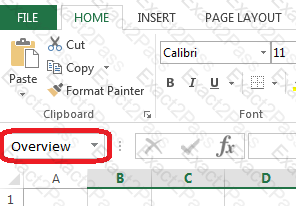
Rename a table.
Cell range B6:F29
Name: "Overview"
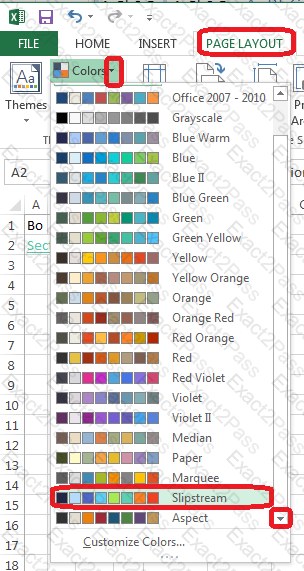
Change the color theme.
MathTracker.xlsx
Slipstream
Rename the title of the chart.
Chart
Text "All Zero Scores"
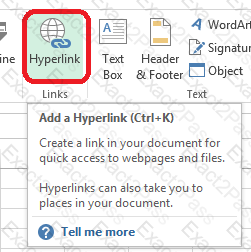
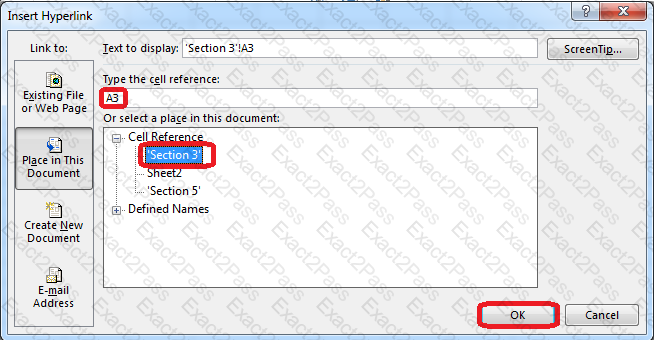
Create a hyperlink to another worksheet.
Cell A2.
Cell reference "A3"
Sheet reference "Section 3" worksheet.
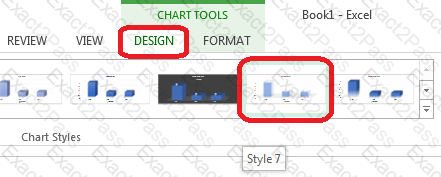
Apply a style to the chart.
Chart.
Chart Styles Style 7
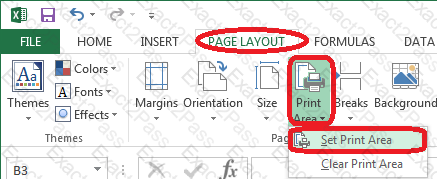
Configure page layout options.
Cell range B3:S25.
Set Print Area.
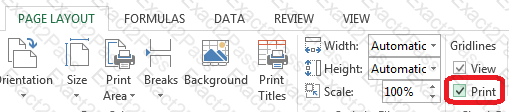
Enable the Gridlines Print option.
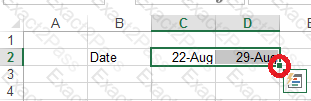
Add a header and the date for each of the columns (assignments) in the range.
Cell B2.
Text "Date".
Cell Range C2: S2
Text: "22-Aug, 29-Aug,…12-Dec"