Exact2Pass

Last Update 18 hours ago Total Questions : 10
The Administrating SAP Business Technology Platform(C_ADBTP_2601) content is now fully updated, with all current exam questions added 18 hours ago. Deciding to include C_ADBTP practice exam questions in your study plan goes far beyond basic test preparation.
You'll find that our C_ADBTP exam questions frequently feature detailed scenarios and practical problem-solving exercises that directly mirror industry challenges. Engaging with these C_ADBTP sample sets allows you to effectively manage your time and pace yourself, giving you the ability to finish any Administrating SAP Business Technology Platform(C_ADBTP_2601) practice test comfortably within the allotted time.
Create Directories and Subaccounts
In a global account for SAP Business Technology Platform (BTP), create a hierarchy of subaccounts using directories.
Task 1: Create Directories
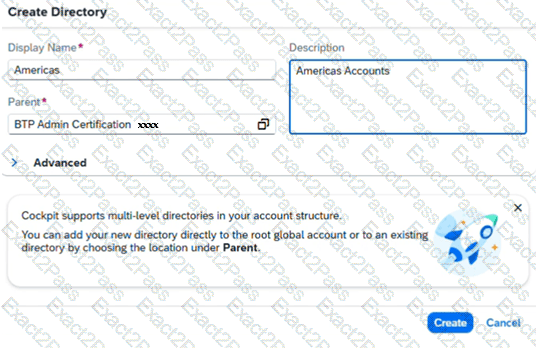
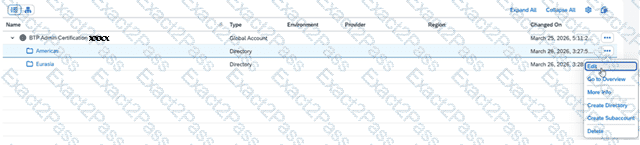
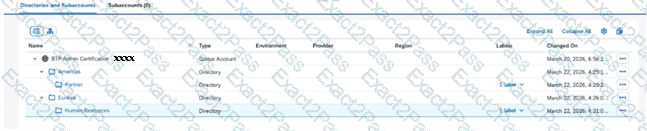
In your SAP BTP cockpit, create the directory Americas (Description: Americas Accounts ) with your global account as the parent.
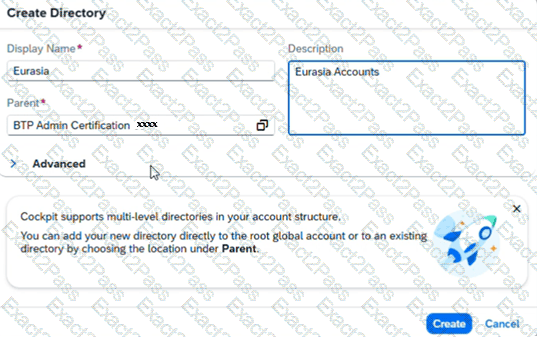
Create the directory Eurasia (Description: Eurasia Accounts ) with your global account as the parent.
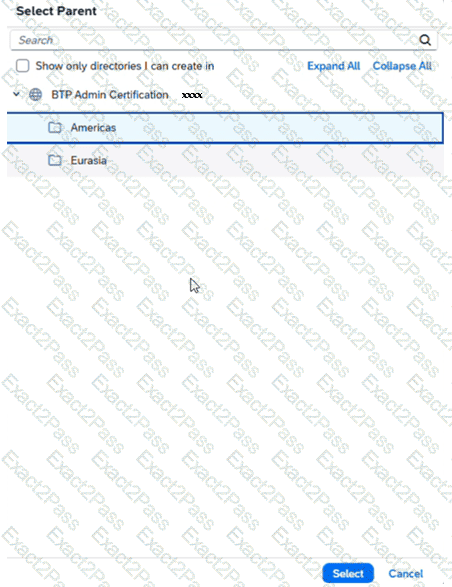
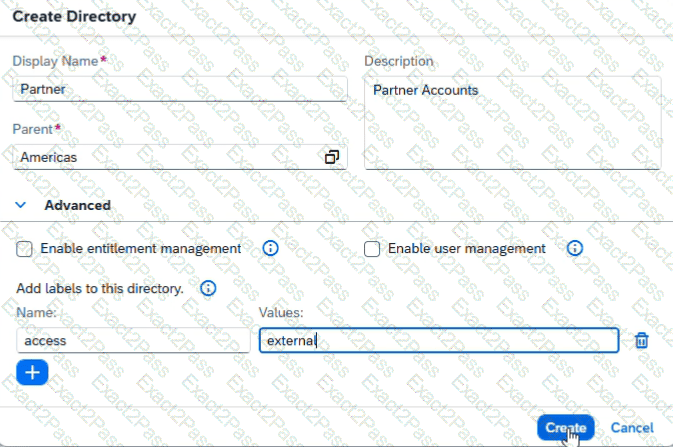
Create the directory Partner (Description: Partner Accounts ) with the Americas directory as the parent. Add the label access with value external .
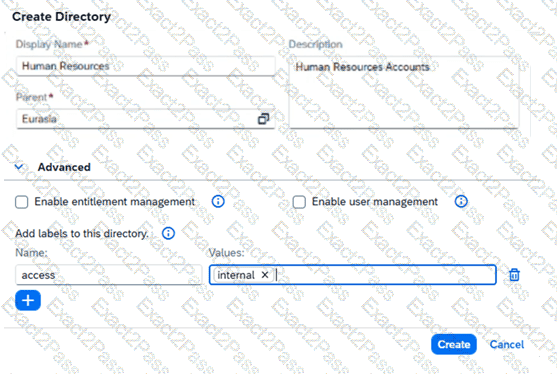
Create the directory Human Resources (Description: Human Resources Accounts ) with the Eurasia directory as the parent. Add the label access with value internal .
Enable a Cloud Foundry Environment
Task 2: Enable and Configure a Cloud Foundry Environment
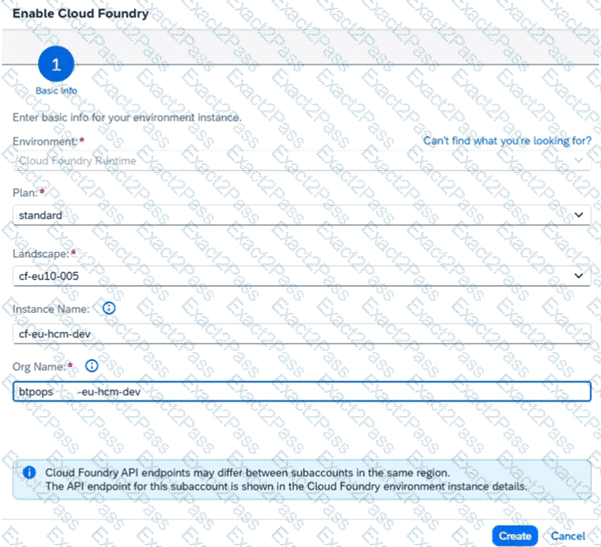
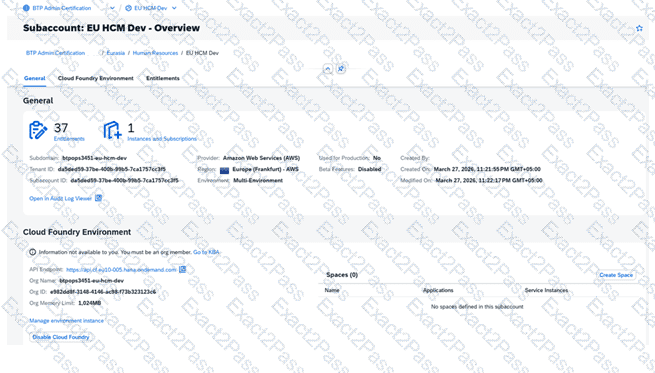
In your SAP BTP cockpit, in the EU HCM Dev subaccount, enable the Cloud Foundry environment in the cf-eu10-004 landscape. Set the instance name to cf-eu-hcm-dev and the org name to btpops####-eu-hcm-dev .
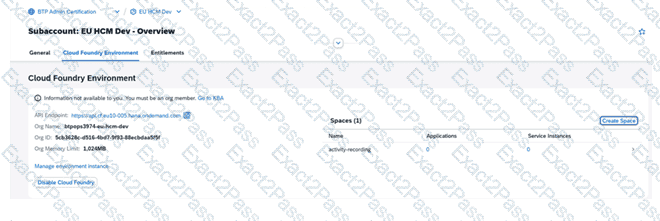
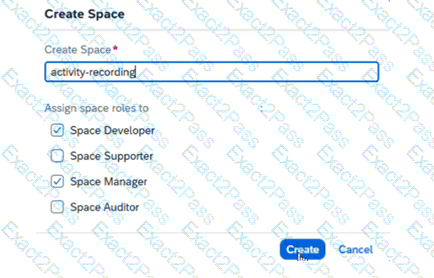
In the EU HCM Dev subaccount, create a space with the name activity-recording .
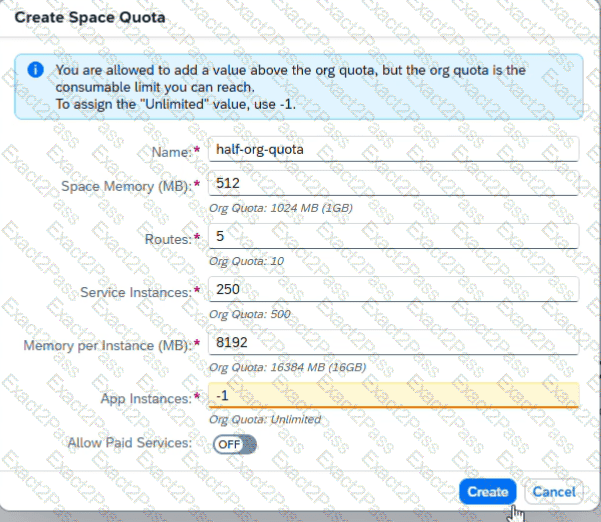
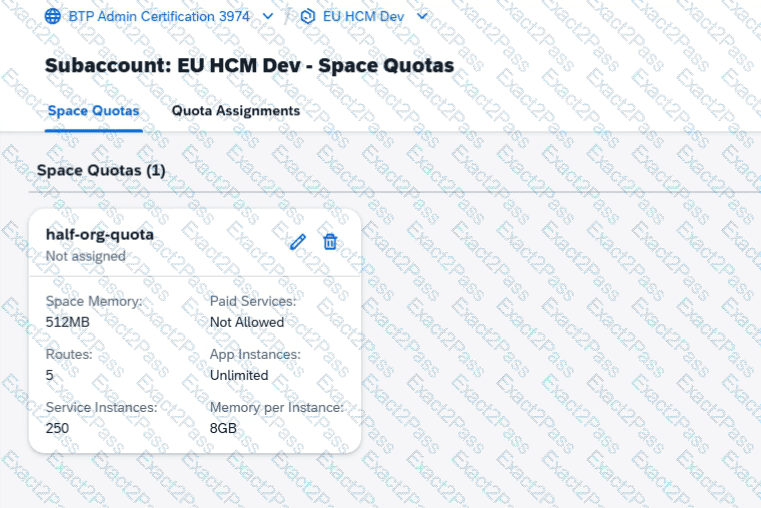
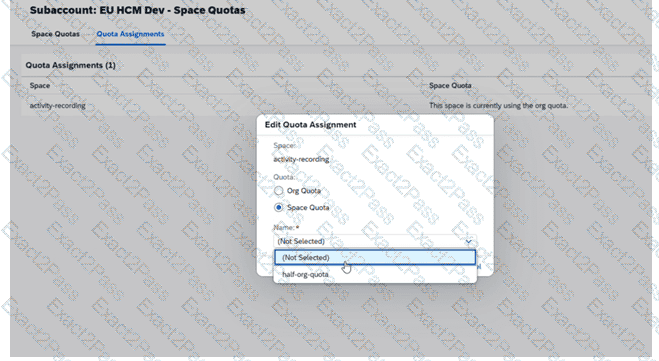
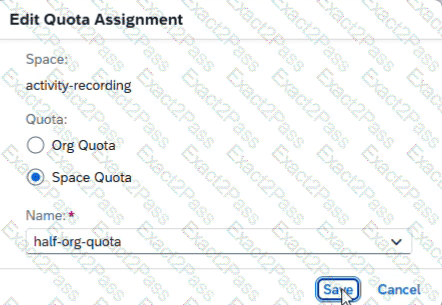
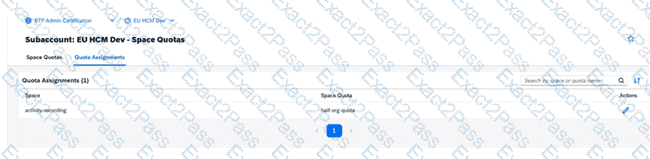
In the EU HCM Dev subaccount, create a space quota with the name half-org-quota . Halve the available org quota for memory, routes, service, and instance memory for an unlimited number of app instances. Assign the space quota to activity-recording.
Task 2: Create Subaccounts in a Directory
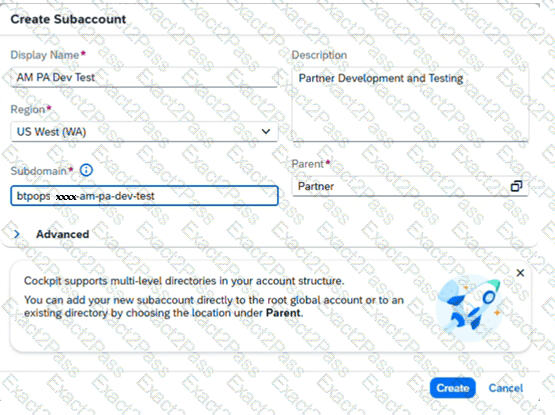
In the Partner directory, create the subaccount AM PA Dev Test (Description: Partner Development and Testing ) with subdomain btpops####-am-pa-dev-test in the region Microsoft Azure → US West (WA) cf-us20.
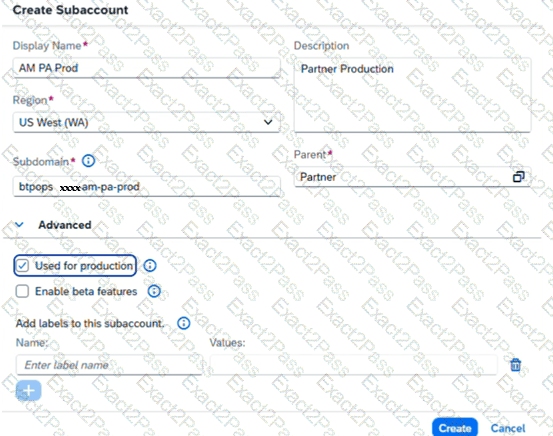
In the Partner directory, create the subaccount AM PA Prod (Description: Partner Production ) with subdomain btpops####-am-pa-prod using AM PA Dev Test as source subaccount. Set the subaccount as used in production.