Exact2Pass

Last Update 1 hour ago Total Questions : 106
The Developing in Agentic AI Systems content is now fully updated, with all current exam questions added 1 hour ago. Deciding to include GH-600 practice exam questions in your study plan goes far beyond basic test preparation.
You'll find that our GH-600 exam questions frequently feature detailed scenarios and practical problem-solving exercises that directly mirror industry challenges. Engaging with these GH-600 sample sets allows you to effectively manage your time and pace yourself, giving you the ability to finish any Developing in Agentic AI Systems practice test comfortably within the allotted time.
You have a GitHub Actions workflow that starts multiple agent jobs in parallel.
You need to prevent two runs in the same job from executing simultaneously on the same branch. The solution must ensure, at most, one running instance and one pending instance per branch.
What should you add to the job?
You are about to start a complex refactoring task in the GitHub Copilot CLI.
Before Copilot makes any changes, you need to review and agree on the approach.
What should you do first?
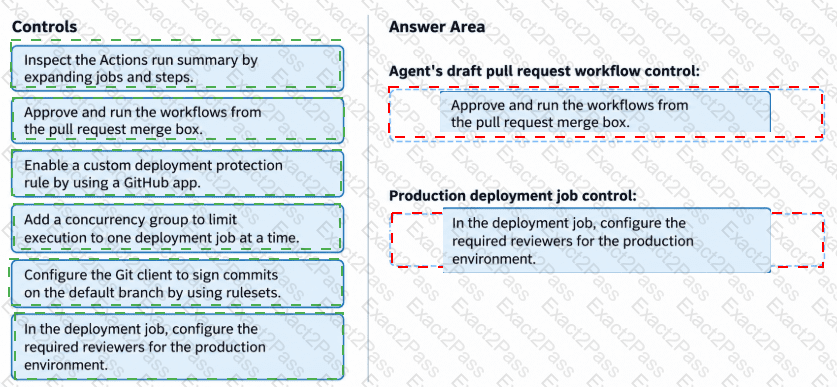
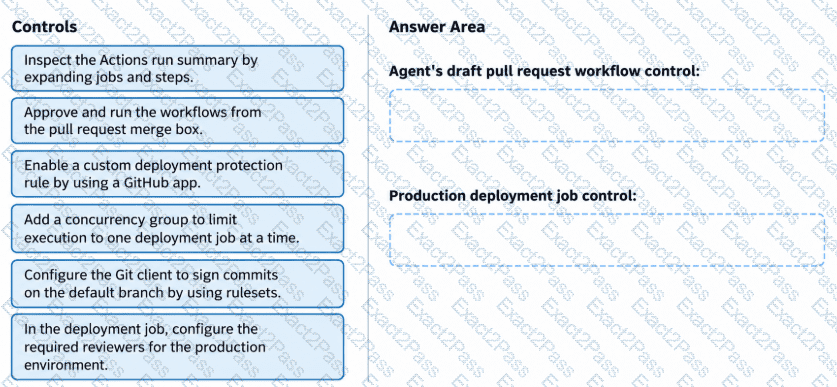
You have a GitHub Enterprise Cloud repository that uses the GitHub Copilot coding agent to resolve backlog issues by creating draft pull requests. The repository uses a GitHub Actions workflow for deployments to the production environment.
You discover that the workflow is being triggered before human review.
You need to configure GitHub controls to meet the following requirements:
The workflow for the agent’s draft pull requests must NOT run until a user that has write access approves the pull requests.
Production deployment jobs must start only after a user with write access explicitly approves the jobs.
Which controls should you configure? To answer, drag the appropriate controls to the correct requirements.
You are evaluating the following workflow YAML.
jobs:
agent1:
runs-on: ubuntu-latest
environment: agent-sandbox
steps:
- uses: actions/checkout@v4
For each of the following statements, select Yes if the statement is true. Otherwise, select No.
NOTE: Each correct selection is worth one point.

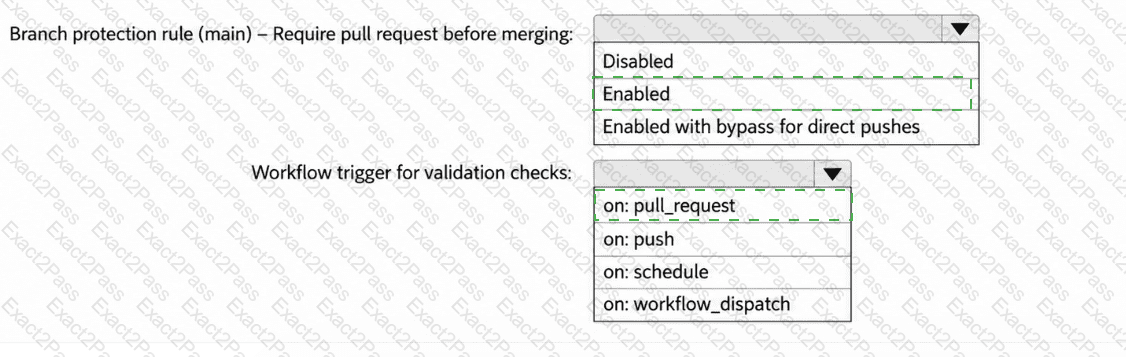
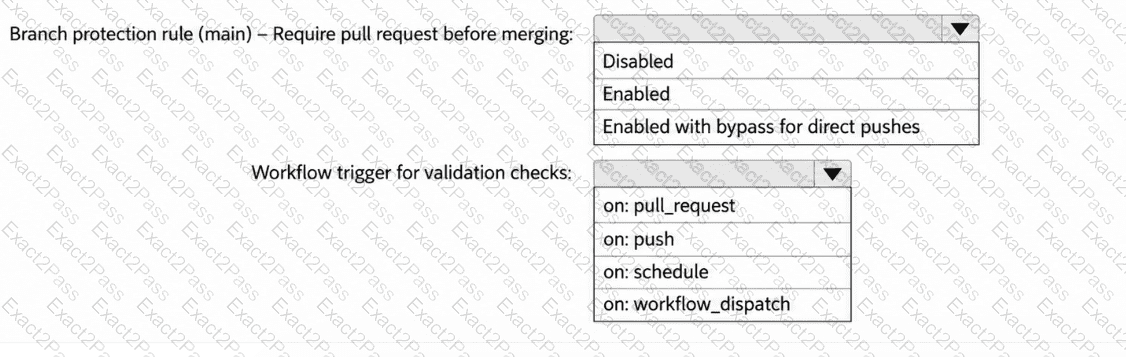
You have a GitHub repository that uses GitHub Actions for CI.
Your team is piloting the GitHub Copilot coding agent to autonomously create branches and open pull requests. The repository follows trunk-based development that uses main as the default branch.
You need to ensure that the agent meets the following requirements:
Changes to main can occur only by using pull requests that have at least one approval.
When a pull request is opened, a validation workflow runs.
How should you configure the repository? To answer, select the appropriate options in the answer area.
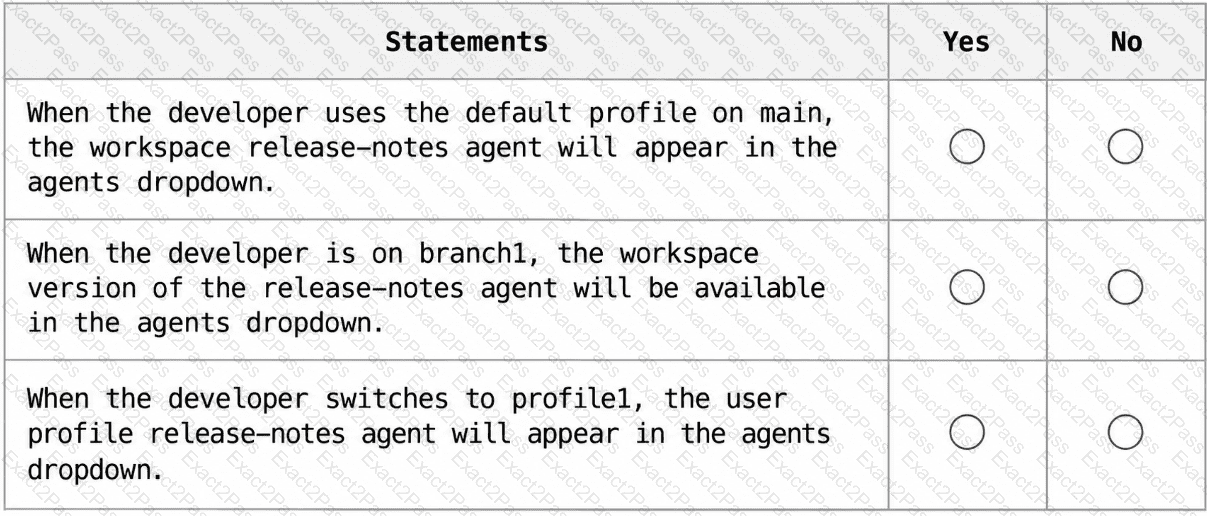
Your company uses Microsoft Visual Studio Code and GitHub Copilot Chat.
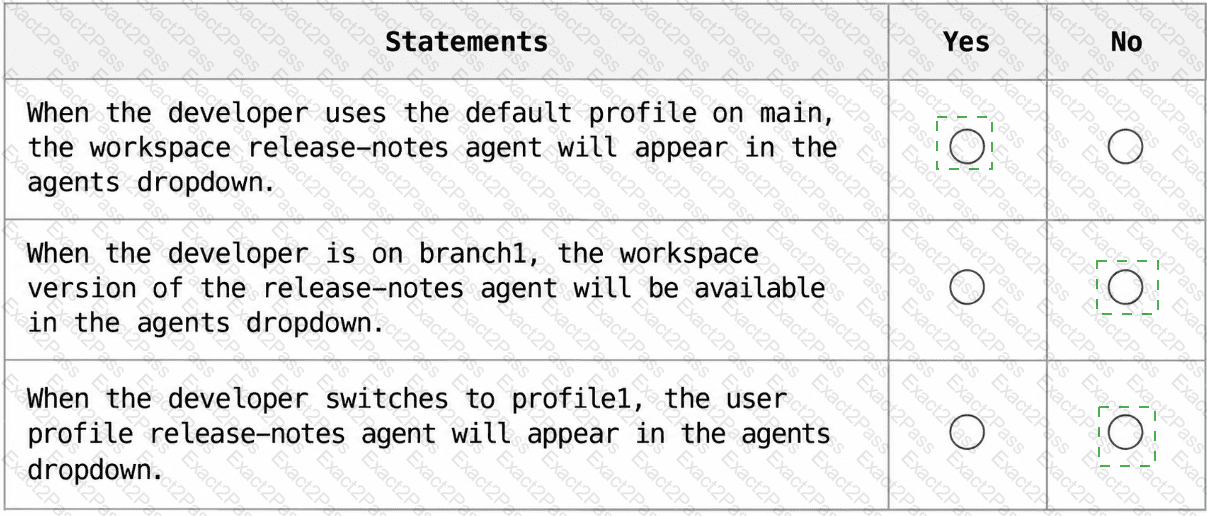
You have a GitHub repository that uses main as the default branch. The repository contains a workspace custom agent stored at .github/agents/release-notes.agent.md.
A developer switches to a branch named branch1 where the agent file does NOT exist. In the same session, the developer switches to a user profile named profile1. profile1 contains a custom agent file named release-notes.agent.md that has user-invocable set to false.
For each of the following statements, select Yes if the statement is true. Otherwise, select No.
NOTE: Each correct selection is worth one point.
You have a GitHub Enterprise repository that uses the GitHub Copilot coding agent and opens draft pull requests for assigned issues.
Evaluation results show that the agent repeatedly opens pull requests that modify .github/workflows/*.yml to bypass failing checks instead of fixing the underlying code.
You need to ensure that the agent fixes the underlying code instead of bypassing the failing checks.
What should you do?
You have a private GitHub repository that has Copilot memory enabled.
Several developers who have write access to the repository make changes across multiple branches, including creating some pull requests that are later closed without merging.
Your team needs to understand how GitHub Copilot ensures that only task-relevant, up-to-date information influences code suggestions, even when older memories exist.
How does Copilot manage memories?
You have a GitHub repository that uses GitHub Copilot code review on pull requests.
You plan to add repository-wide code review guidance that will apply to all files.
You need Copilot code review to consistently apply the guidance during pull request reviews.
What should you do?
You use the GitHub Copilot CLI in ephemeral dev containers.
You need to provide Copilot with reusable guidance for a specific task only. The guidance must be stored in the repository and invoked only when the task is relevant.
What should you do?