Exact2Pass

Last Update 22 hours ago Total Questions : 48
The G Suite Certification content is now fully updated, with all current exam questions added 22 hours ago. Deciding to include GSuite practice exam questions in your study plan goes far beyond basic test preparation.
You'll find that our GSuite exam questions frequently feature detailed scenarios and practical problem-solving exercises that directly mirror industry challenges. Engaging with these GSuite sample sets allows you to effectively manage your time and pace yourself, giving you the ability to finish any G Suite Certification practice test comfortably within the allotted time.
A new customer asks you to send a Google Docs document to them as a Microsoft Word document. From the File menu of your Google Docs document, what action should you take?
Overview
You have negotiated a new deal with a customer. You now want to finalize their contract with your company for an annual supply of coffee beans.
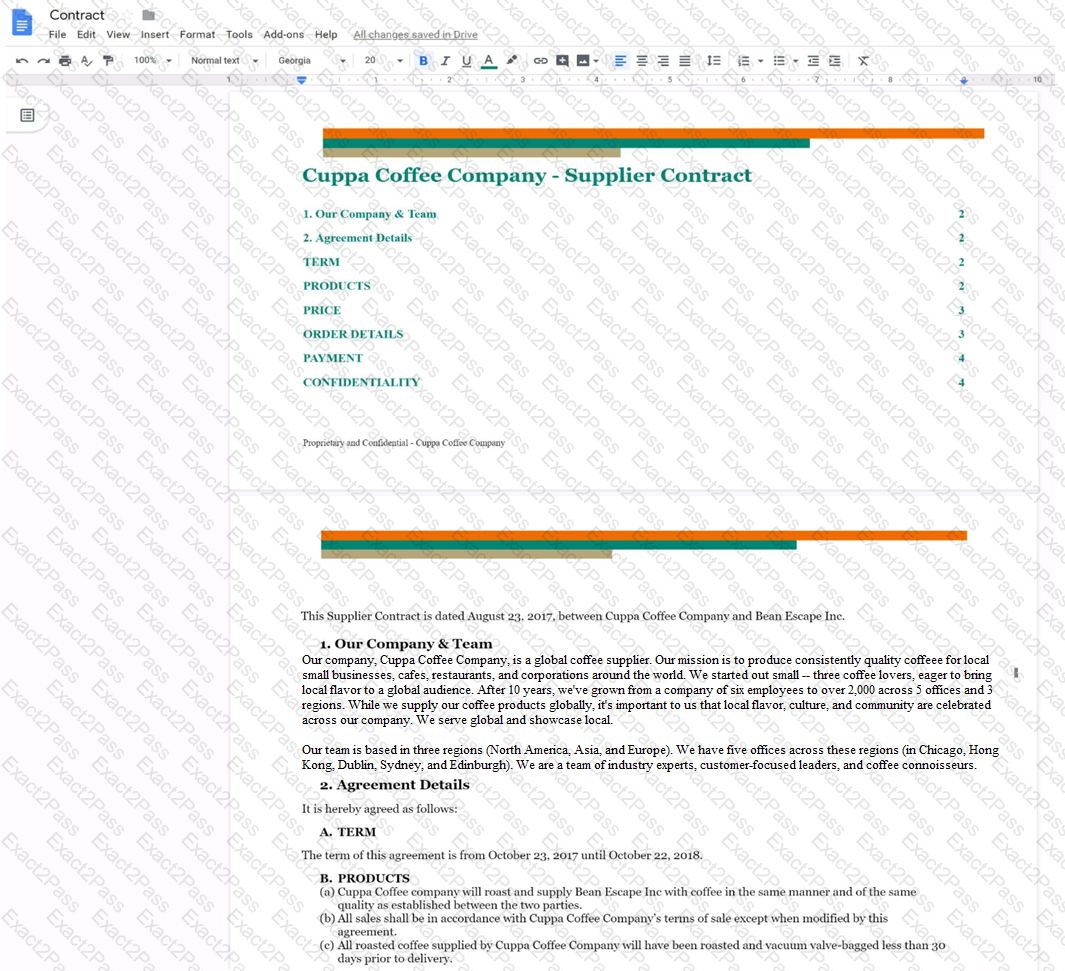
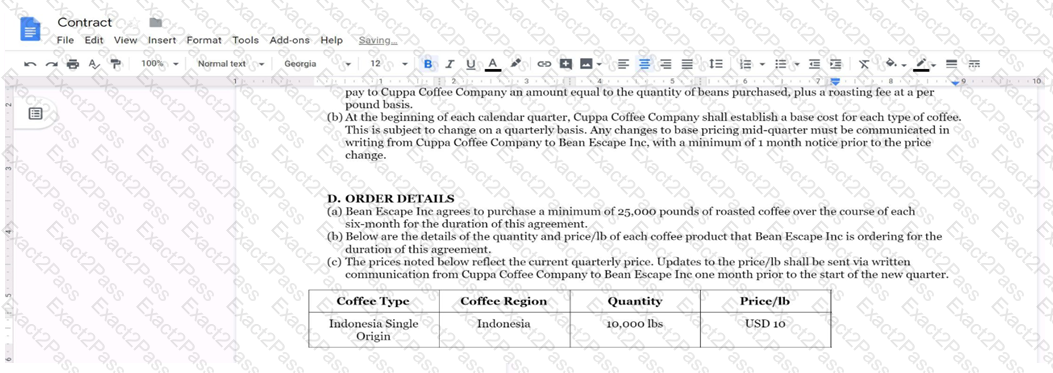
You want the size of the text in each paragraph to be consistent in the Contract document. In section 1, Our Company & Team, change the font size of the paragraph to 12.
You received an email request that you want to respond to next week. For you to remember about this request, you need to have this email on top of your inbox next Monday at 9:30 AM. What should you do?
Overview
In the following tasks, you will demonstrate your ability to work in Google Docs. Dream Digital Design is a web design company known for building exceptional websites. You will be editing the job description for the new web designer role that will open shortly. Use the Dream Digital Design Job Description for all the tasks in this scenario.
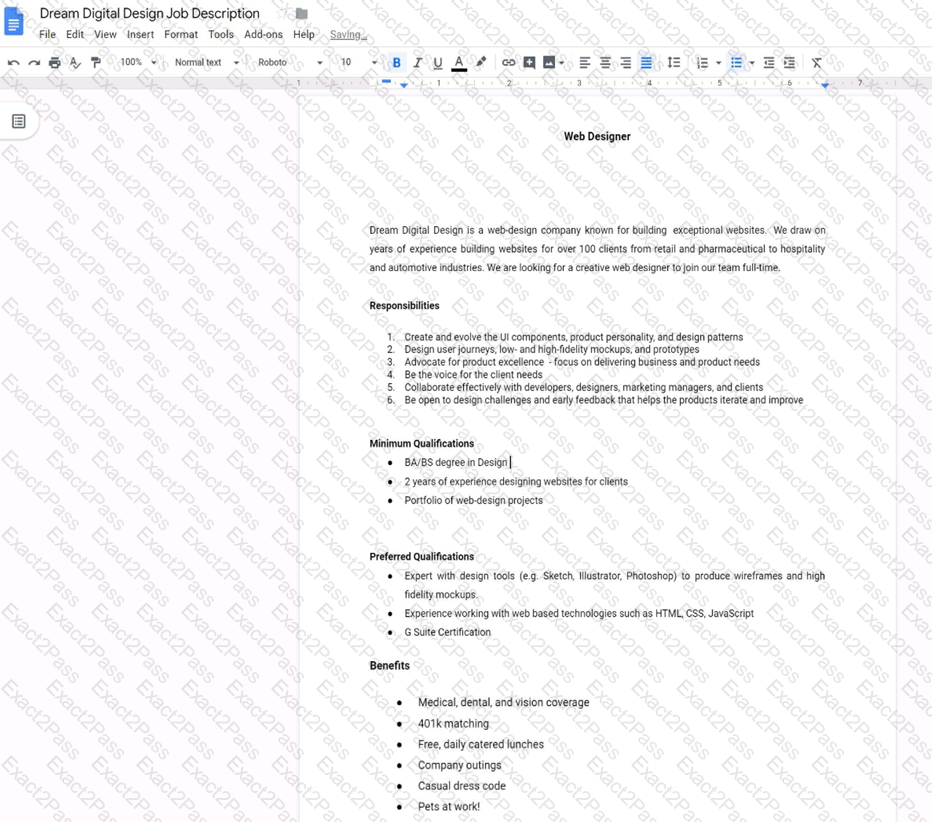
Change the line spacing of the Dream Digital Design Job Description from 1.5 to single spacing.
Overview
In the following tasks, you will demonstrate your ability to work in Google Docs. Dream Digital Design is a web design company known for building exceptional websites. You will be editing the job description for the new web designer role that will open shortly. Use the Dream Digital Design Job Description for all the tasks in this scenario.
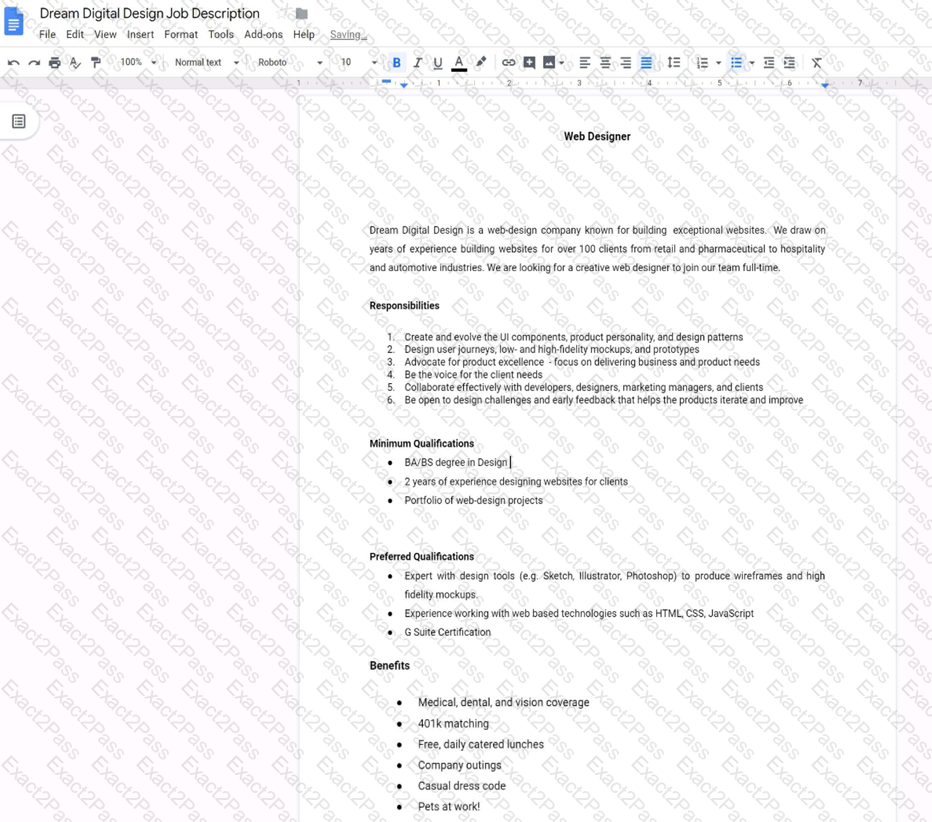
In the Dream Digital Design Job Description, change the list of responsibilities from a numbered list to a bulleted list.
Overview
In the following tasks, you will demonstrate your ability to work in Google Docs. Lodge Majestique is a prominent vacation destination known for its great customer service. You will be finalizing a training guide for the Lodge Majestique Front Desk. Use the Front Desk: Training Guide | Module 1 for all the tasks in this scenario.
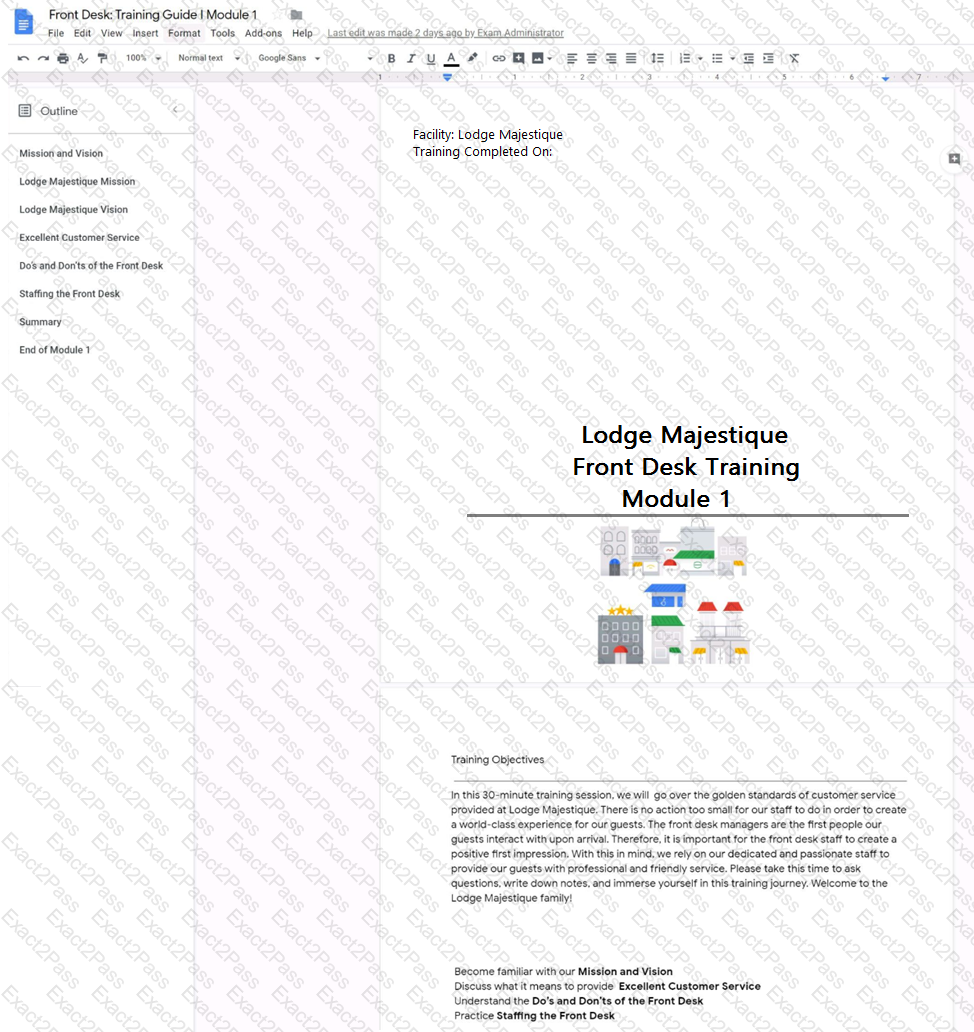
On page 2 of the Front Desk: Training Guide | Module 1, format the 4 training objectives as a bulleted list.
You have a folder saved locally on your laptop. You need to upload the folder to Google Drive. What should you do?
Overview
In the following tasks, you will demonstrate your ability to work in Google Sheets. You are organizing and analyzing the schedule of employee shifts. Use the Employee Shift Schedule for Kelvin Cars sheet for all the tasks in this scenario.
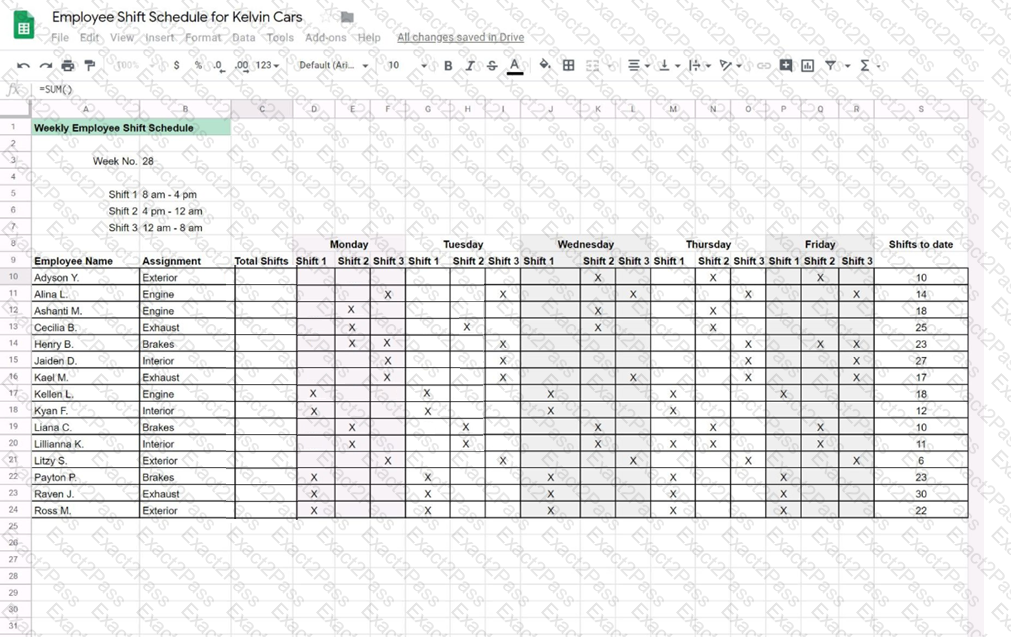
In the Total Shifts column, calculate the total number of shifts for each employee. Use a formula to perform the calculations.
Overview
In the following tasks, you will demonstrate your ability to work in Google Sheets. You are organizing and analyzing the schedule of employee shifts. Use the Employee Shift Schedule for Kelvin Cars sheet for all the tasks in this scenario.
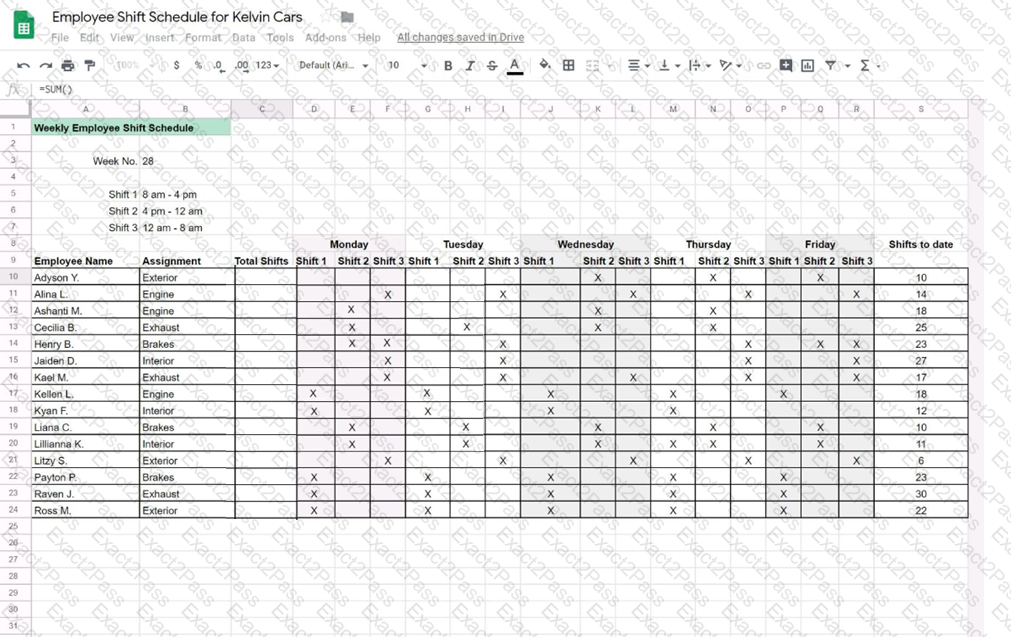
Filter the table so that only shifts with “brakes” assignments are viewable.
Overview
In the following tasks, you will demonstrate your ability to work in Google Docs. Cascara is a furniture wholesaler with warehouses located in Europe. You will be filling out a form to ship a load of goods to one of the warehouses. Use the Carriage of Goods by Road (CGR) for all the tasks in this scenario.
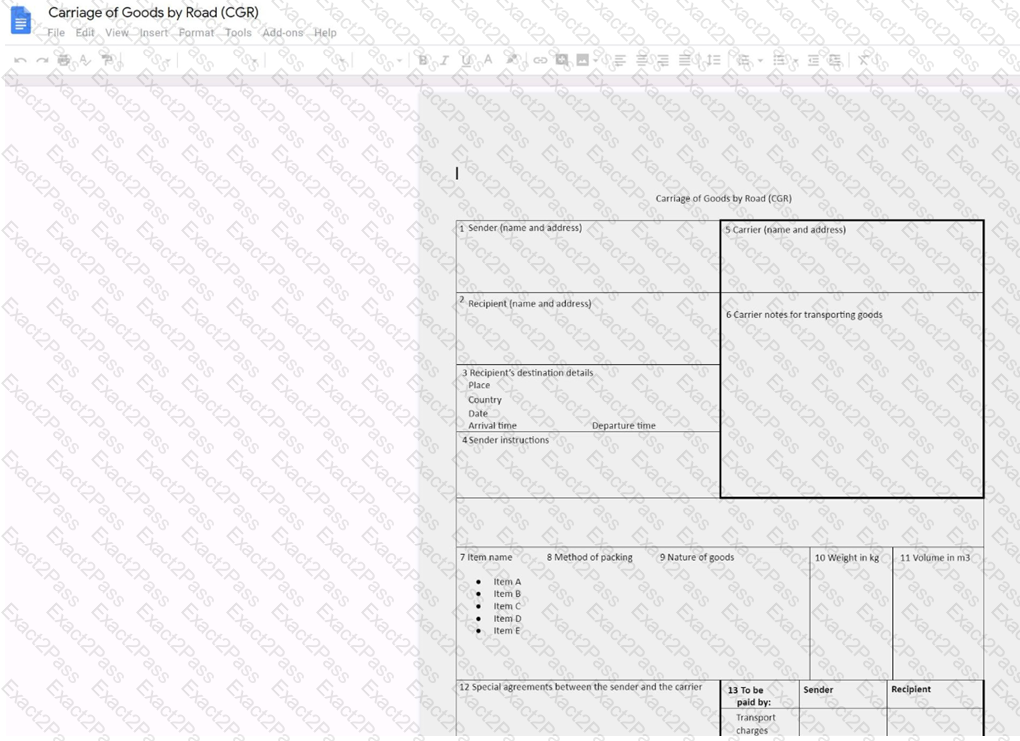
Increase the font size of the document title, Carriage of Goods by Road (CGR), to 18.

