Exact2Pass

Last Update 2 hours ago Total Questions : 60
The Aruba Certified ClearPass Expert Written Exam content is now fully updated, with all current exam questions added 2 hours ago. Deciding to include HPE6-A81 practice exam questions in your study plan goes far beyond basic test preparation.
You'll find that our HPE6-A81 exam questions frequently feature detailed scenarios and practical problem-solving exercises that directly mirror industry challenges. Engaging with these HPE6-A81 sample sets allows you to effectively manage your time and pace yourself, giving you the ability to finish any Aruba Certified ClearPass Expert Written Exam practice test comfortably within the allotted time.
Refer to the exhibit.
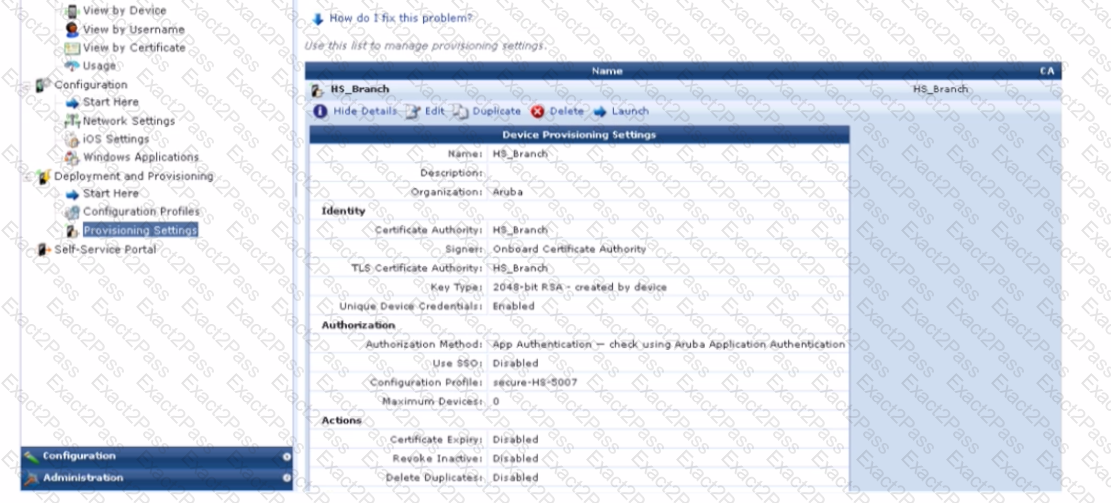
You have configured an Onboard portal for single SSID provision. During testing you notice that the QuickConnect Application did not display the " Connect " button, only the finish button. To get connected the test user had to manually connect to the secure-HS-5007 SSID but was prompted for a username and password. Using the screenshots as a reference, how would you fix this issue?
A customer has created a Guest Self-Registration page that they would like to use it as ' template ' for all the new pages that are going to be created from now on. Their goal is to ensure that the header and footer on every page are the same, and any edits made to them are automatically reflected on every Self-Registration Page.
What should be configured in order to accomplish this request?
Refer to the exhibit.
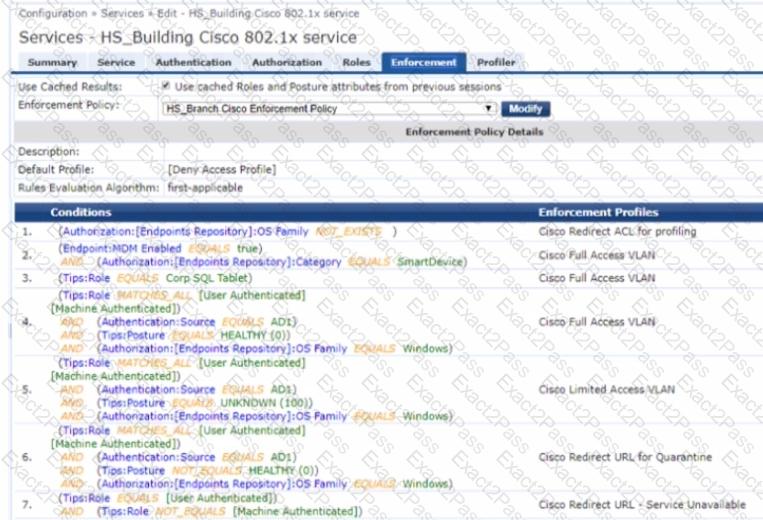
What enforcement prof lit will be assigned to the Windows 10 MDH enabled devices if it completes user authentication and is already profiled by ClearPess?
Refer to the exhibit.
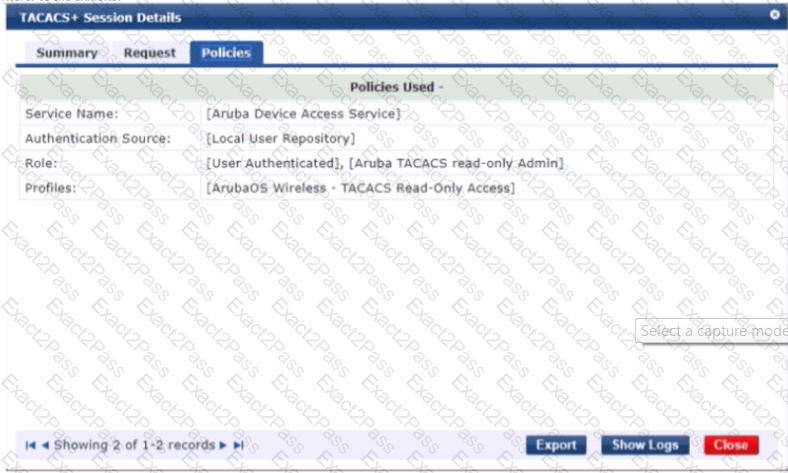
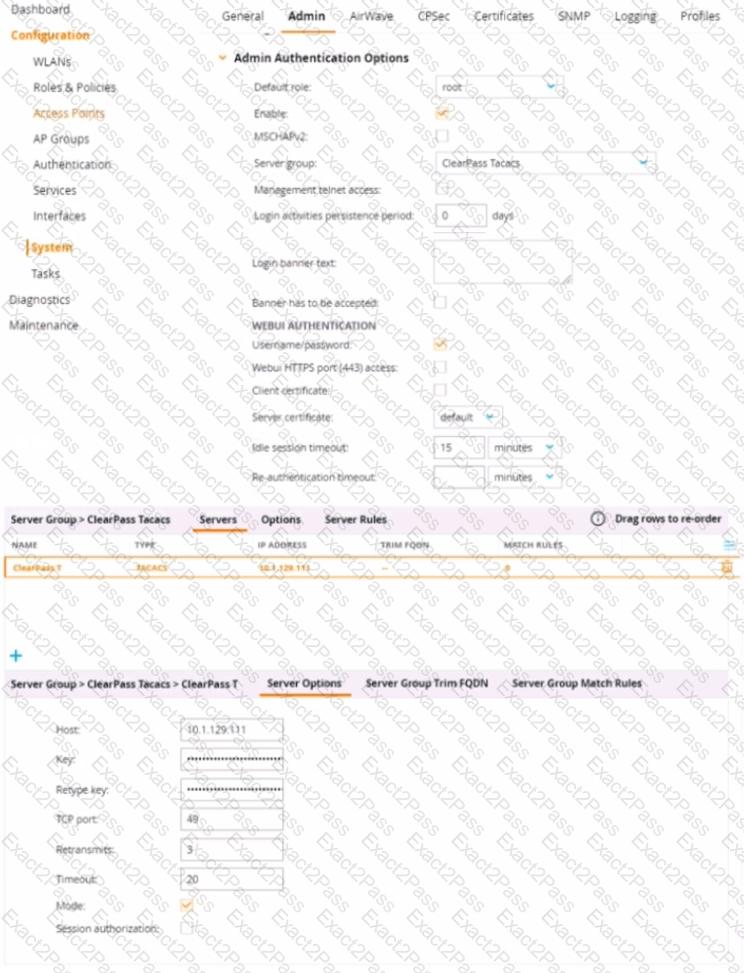
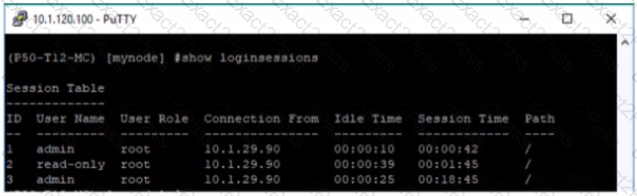
A customer hat configured the Aruba Controller for administrative authentication using ClearPass as A TACAC5 serve ' During tasting, the read-only user is getting the root access role What could be a possible reason for this behavior? (Select two.)
The customer would like to add a default common self-registration sponsor email under the initial value on all the ten self-registration pages created for different locations except for the guest registration page created for Sunnyvale location to use a different sponsor email in initial value. Under self-registration form fields, you have " Edit " and " Edit Base Field "
Which edit options will you choose to make minimal configuration changes to implement the customer ' s requirement? (Select two)
When building an SNMP-based enforcement profile what option can you assign to the user as actions? (Select three).
Refer to the exhibit.
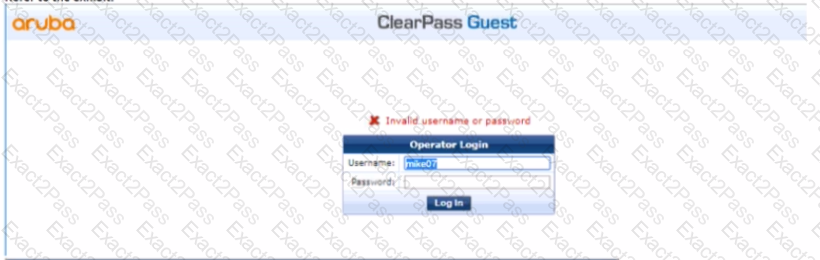
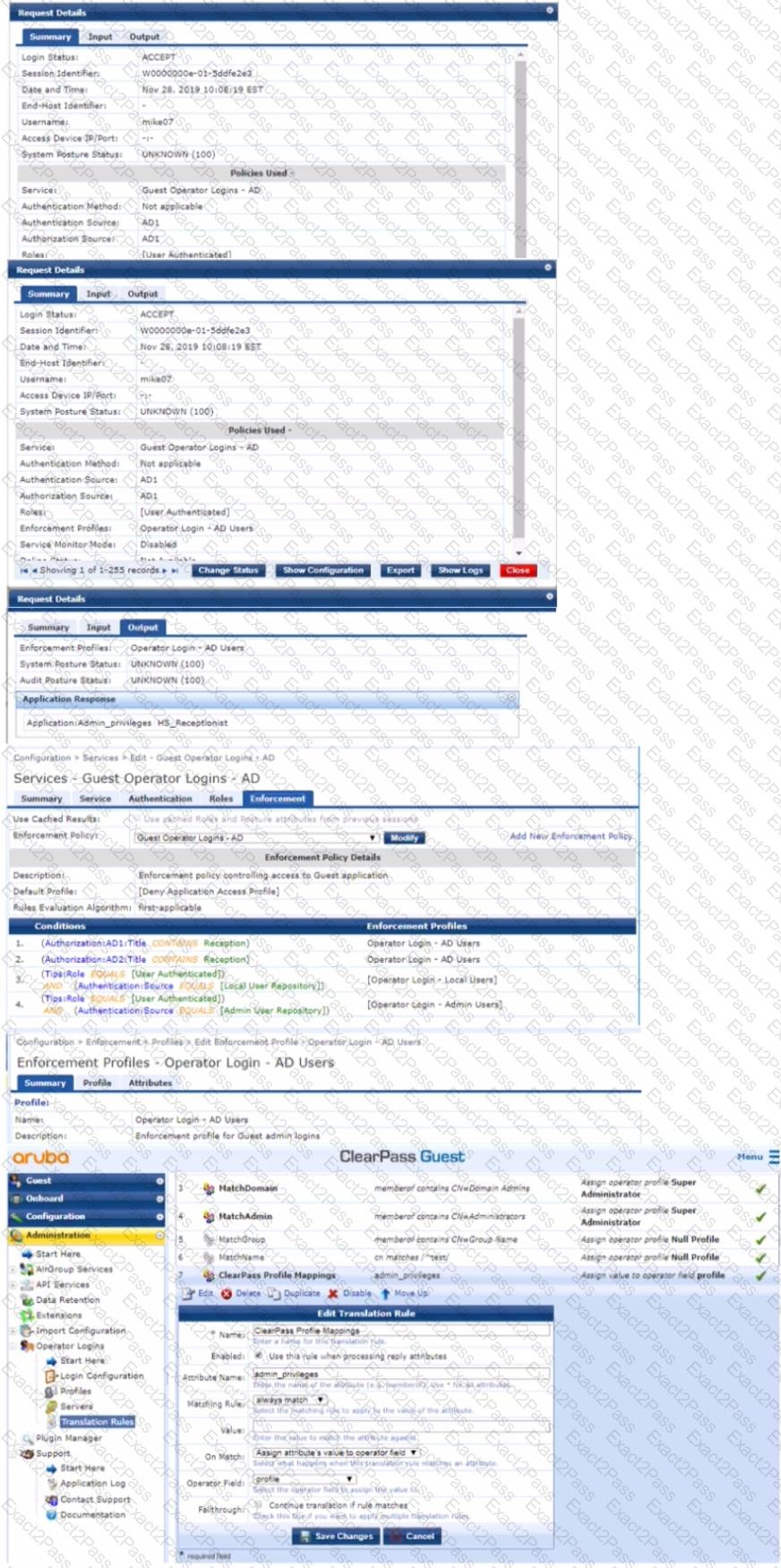
The customer configured a guest operator access by creating a custom operator profile and the built-in universal ClearPass profile mapping translation rule. When he tests the setup, he gets authentication failed. Using the streenshots sent by the customer as a reference, what would suggest to the customer to fix the issue?
The customer has configured the guest self-registration with sponsor approval. The guest users that the sponsor email and the other requested details while registering the account but the users were able to complete the authentication and access the internet without the sponsor ' s approval.
What configuration settings will you check to make this setup work?

