Exact2Pass

Last Update 13 hours ago Total Questions : 296
The Microsoft Dynamics 365 Business Central Functional Consultant content is now fully updated, with all current exam questions added 13 hours ago. Deciding to include MB-800 practice exam questions in your study plan goes far beyond basic test preparation.
You'll find that our MB-800 exam questions frequently feature detailed scenarios and practical problem-solving exercises that directly mirror industry challenges. Engaging with these MB-800 sample sets allows you to effectively manage your time and pace yourself, giving you the ability to finish any Microsoft Dynamics 365 Business Central Functional Consultant practice test comfortably within the allotted time.
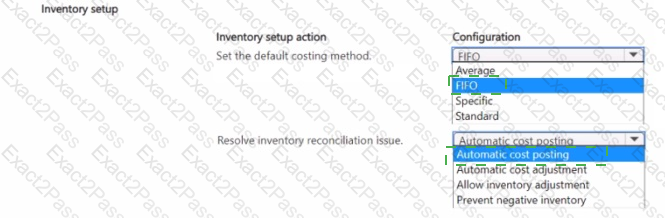
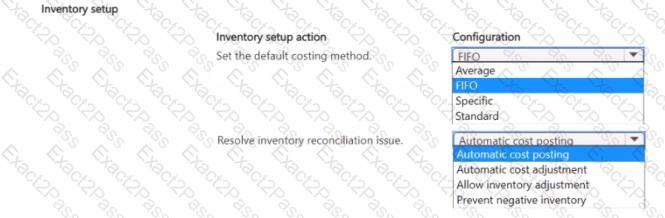
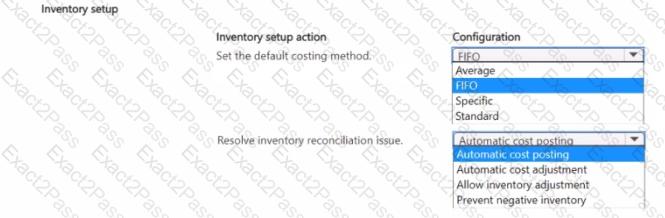
You need to complete inventory setup in Business Central to meet requirements and resolve issues.
Which two inventory setup configurations should you use? To answer, select the appropriate options in the answer area.
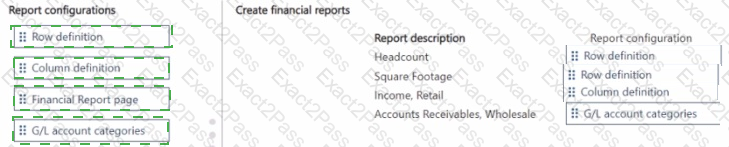
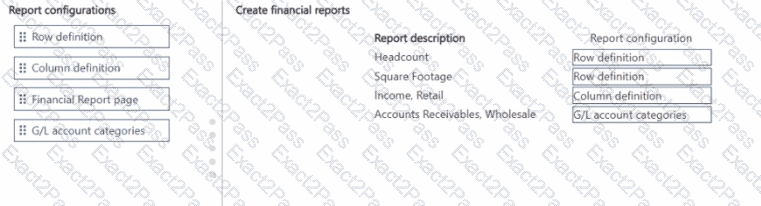
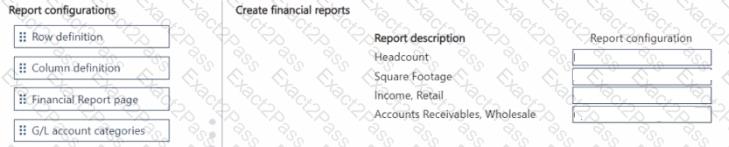
You need to create financial reports per company reporting requirements.
Which report configuration should you use to add the report descriptions lo financial reports? To answer, move the appropriate report configurations to the correct report descriptions. You may use each report configuration once, more than once, of not at all. You may need to move the split bar between panes or scroll to view content
NOTE: Each correct selection is worth one point.
You need to configure Business Central to display G/L entries as required by the accounting team.
Which configuration should you use?
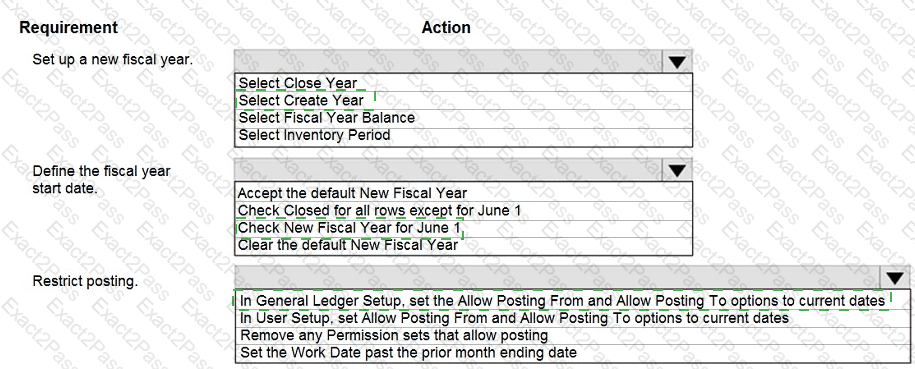
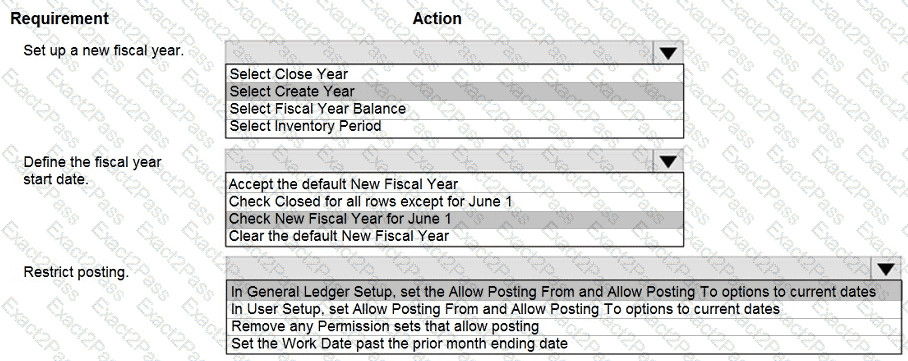
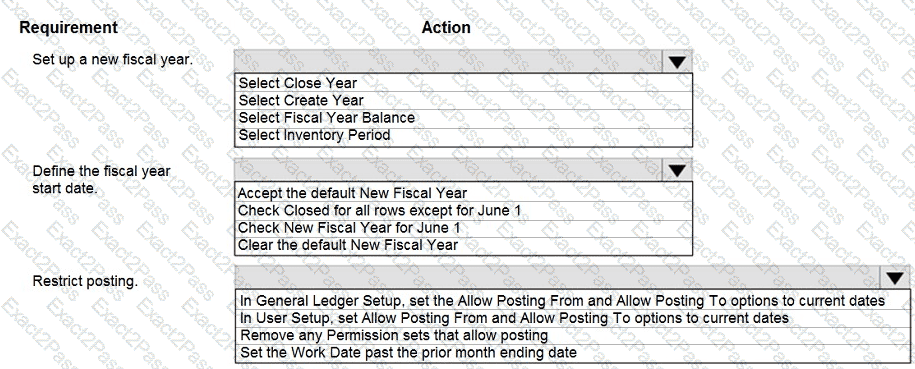
You need to set up a new fiscal year and restrict posting.
Which options should you use? To answer, select the appropriate options in the answer area.
NOTE: Each correct selection is worth one point.
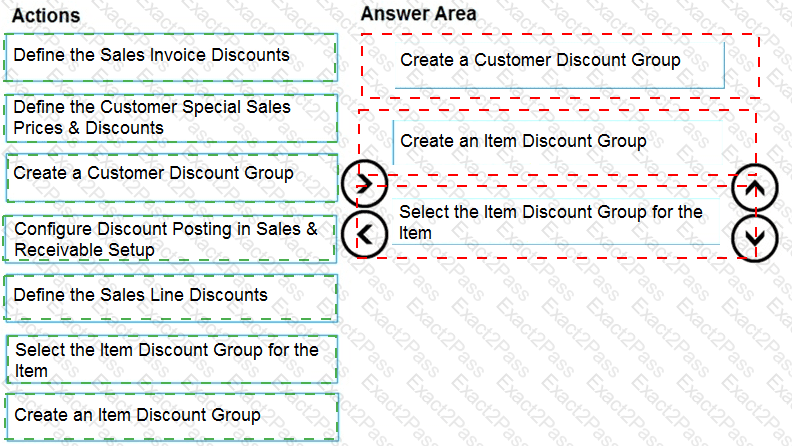
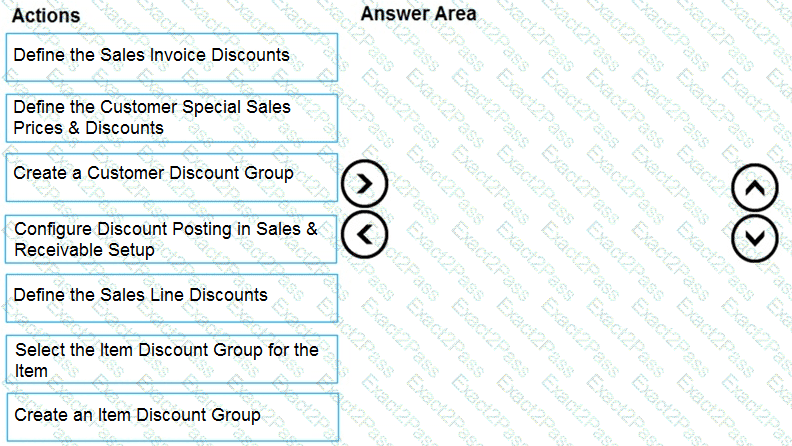
You need to configure discounting for sales.
Which three actions should you perform in sequence? To answer, move the appropriate actions from the list of actions to the answer area.
You need to configure sales invoicing.
What are two possible ways to achieve this goal? Each correct answer presents a complete solution.
NOTE: Each correct selection is worth one point.
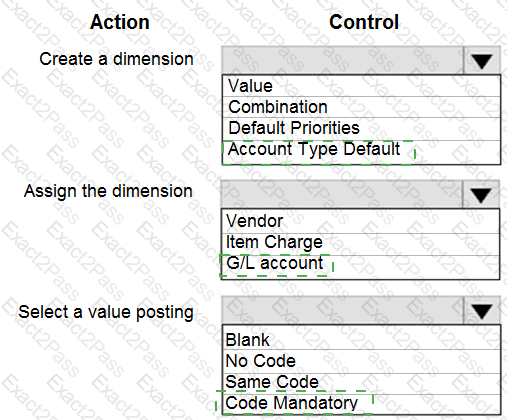
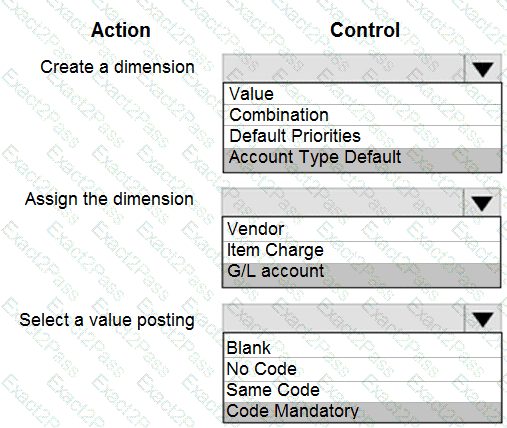
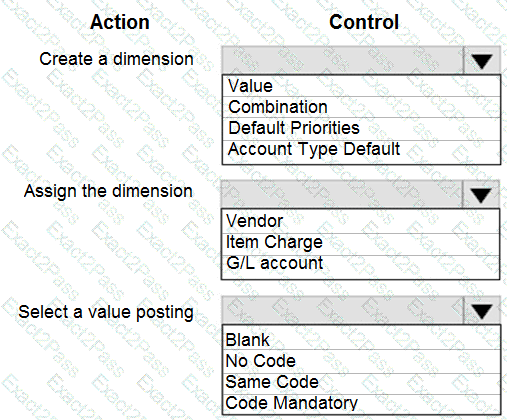
You need to report profitability by business line.
How should you configure the system? To answer, select the appropriate options in the answer area.
NOTE: Each correct selection is worth one point.
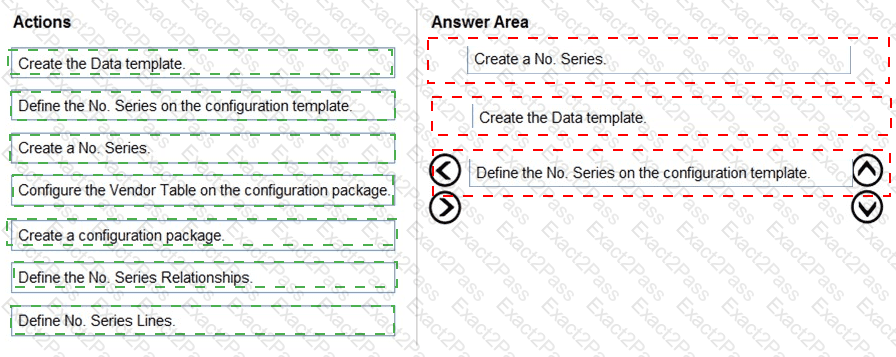
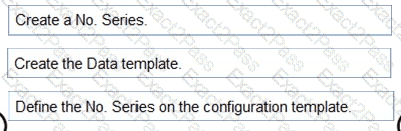
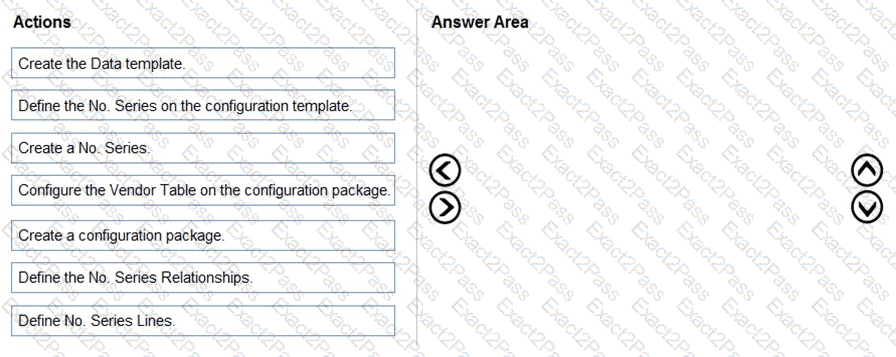
You need to design a process to resolve the broker issues for Accounts.
Which three actions should perform in sequence? To answer, move the appropriate actions from the list of actions to the answer area and arrange them in the correct order.
NOTE: More than one order of answer choices is correct. You will receive credit for any of the correct orders you select.
You have an on-premises Active Directory Domain Services (AD DS) domain that syncs with a Microsoft Entra tenant. The on-premises network is connected to Azure by using a Site-to-Site VPN.
You have the DNS zones shown in the following table.

You need to ensure that names from fabrikam.com can be resolved from the on-premises network. Which two actions should you perform? Each correct answer presents part of the solution. NOTE: Each correct selection is worth one point.
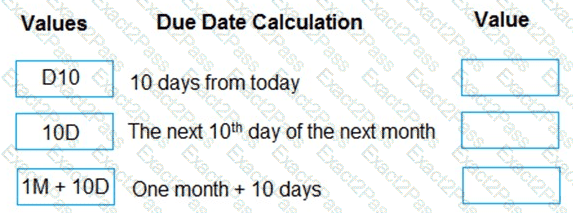
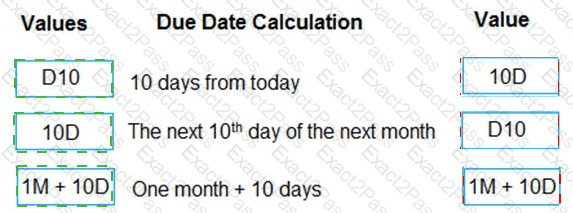
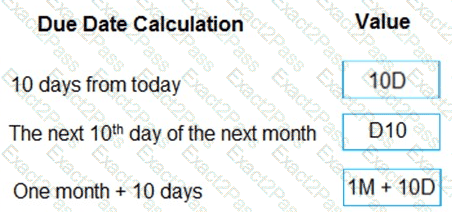
A company uses Dynamics 365 Business Central.
You need to configure payment terms with the correct due date calculation formula.
What should you do? To answer, drag the appropriate values to the correct requirements. Each value may be used once, more than once, or not at all. You may need to drag the split bar between panes or scroll to view content.
NOTE: Each correct selection is worth one point.