Exact2Pass

Last Update 2 hours ago Total Questions : 42
The Supermicro MI300X GPU Service Specialist (SMI300XS) Exam content is now fully updated, with all current exam questions added 2 hours ago. Deciding to include SMI300XS practice exam questions in your study plan goes far beyond basic test preparation.
You'll find that our SMI300XS exam questions frequently feature detailed scenarios and practical problem-solving exercises that directly mirror industry challenges. Engaging with these SMI300XS sample sets allows you to effectively manage your time and pace yourself, giving you the ability to finish any Supermicro MI300X GPU Service Specialist (SMI300XS) Exam practice test comfortably within the allotted time.
Where is the one screw that needs to be removed in order to remove the AOM bracket?
Exhibit:
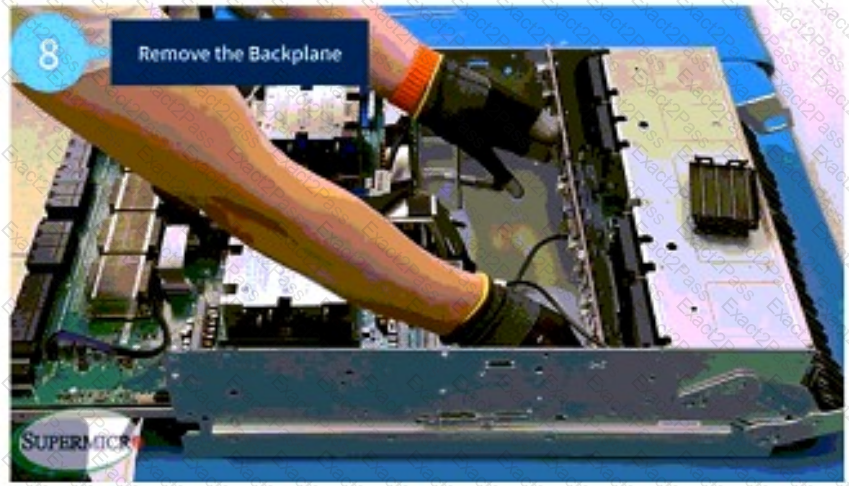
What is the proper way to remove the backplane from the motherboard tray?
Before removing the midplane from the AS-8125GS-TNMR2, you must disengage all the power supply units (PSUs) and dummy PSUs, as well as the PCIe tray, motherboard tray, and GPU tray. True or False?
When reinstalling the motherboard tray, is it necessary to align it properly with the chassis grooves before securing it with screws? True or False?
As shown in the video, when returning any tray (GPU, motherboard, PCIe) back to the chassis, why must you screw in a tray at one end of the chassis first, before installing another tray at the opposite end of the chassis?
Once you remove the midplane lid from the AS-8125GS-TNMR2 system, how many total screws must be removed from the sides of the chassis in order to remove the midplane bracket?
In order to remove the midplane from the AS-8125GS-TNMR2 system, and after you remove all the PSUs, you will need to disengage 3 trays. What is the correct order for disengagement?
In the example system configuration shown in the video, is there an AOM card in the right AOM bracket?
Before disconnecting the cables from the NVMe backplane, what precaution should be taken?
Which two situations could occur if you forcefully shift the release lever without first unlocking the red lock? (Choose 2 answers.)

