Exact2Pass

Last Update 19 hours ago Total Questions : 313
The Configuring and Operating Microsoft Azure Virtual Desktop content is now fully updated, with all current exam questions added 19 hours ago. Deciding to include AZ-140 practice exam questions in your study plan goes far beyond basic test preparation.
You'll find that our AZ-140 exam questions frequently feature detailed scenarios and practical problem-solving exercises that directly mirror industry challenges. Engaging with these AZ-140 sample sets allows you to effectively manage your time and pace yourself, giving you the ability to finish any Configuring and Operating Microsoft Azure Virtual Desktop practice test comfortably within the allotted time.
You have an Azure Virtual Desktop deployment.
You deploy and configure Azure Virtual Desktop in a secondary location.
You plan to perform a test failover to the secondary location, but discover existing user sessions to the primary location.
You need to sign out users from the session hosts in the primary location.
Which PowerShell cmdlet should you run?
You have an Azure Virtual Desktop deployment that contains a host pool named Pool1. Pool1 has the following settings:
• Host pool type: Pooled
• Load balancing algorithm: Breadth-first
• Max session limit: 5
• Start VM on connect: Yes
Pool1 contains the session hosts shown in the following table.
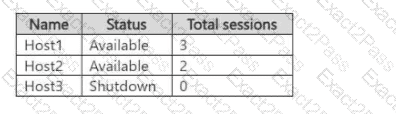
How many additional users must connect to Pool1 to start Host3?
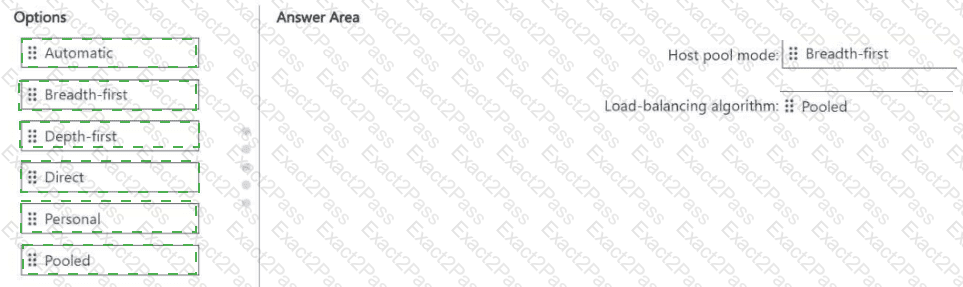
You have an Azure Virtual Desktop deployment.
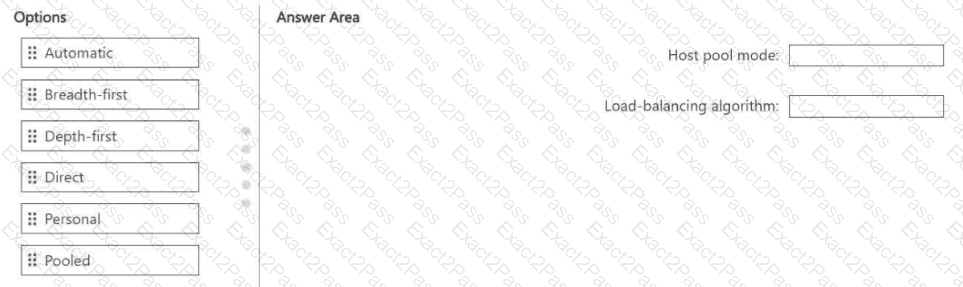
You plan to create a new host pool that meets the following requirements:
• Supports up to 25 user connections
• Contains 10 Windows 11 multi-session hosts
• Evenly distributes user sessions across the session hosts
You need to recommend which type of host pool and load-balancing algorithm to use.
What should you recommend? To answer, drag the appropriate options to the correct targets. Each option may be used once, more than once, or not at all. You may need to drag the split bar between panes or scroll to view content.
NOTE: Each correct selection is worth one point.
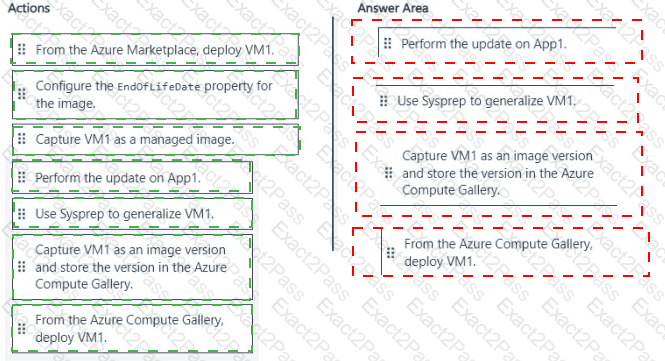
You have an Azure Virtual Desktop deployment that contains a host pool named Pool1. Pool1 contains session hosts that run a line-of-business (LOB) app named App1.
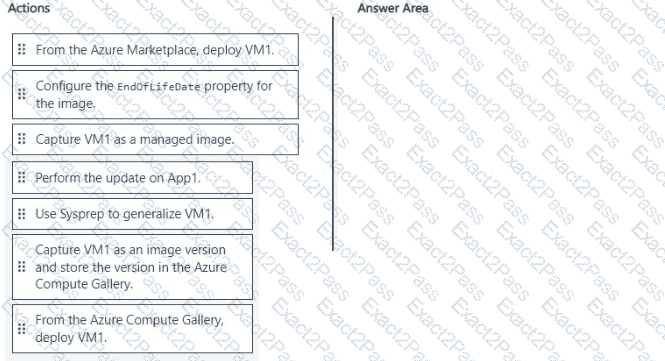
You have an Azure Compute Gallery that contains the following image:
• Image definition: Image1
• Image version: 1.1.1
Image version 1.1.1 was used to deploy all the current session hosts.
You plan to deploy a new virtual machine named VM1 as a source for a new image version that will contain an update for App1.
Which four actions should you perform in sequence? To answer, move the appropriate actions from the list of actions to the answer area and arrange them in the correct order.
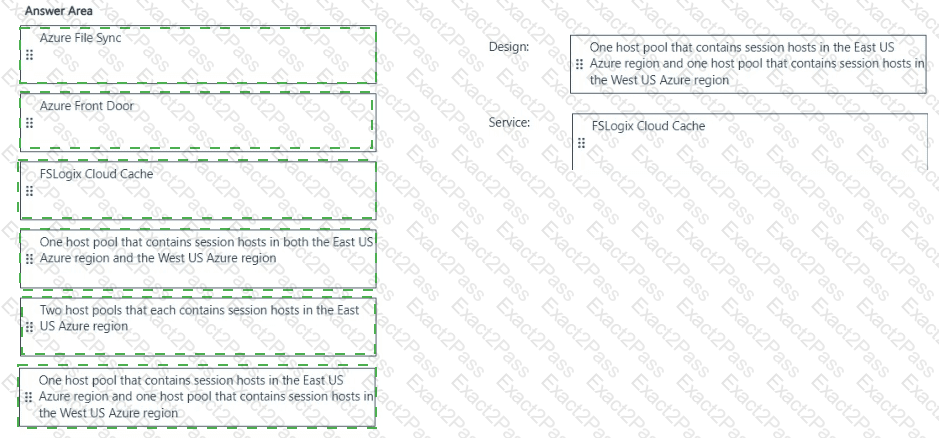
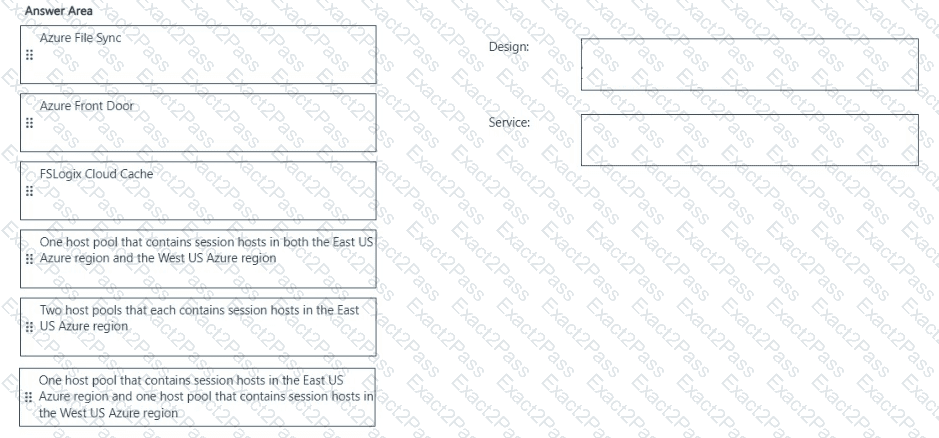
Which host pool design and which service should you configure to meet the disaster recovery requirements? To answer, drag the appropriate solution to the correct requirements. Each solution may be used once, more than once, or not at all. You may need to drag the split bar between panes or scroll to view content
NOTE: Each correct selection is worth one point.
Which monitoring solution should you configure to meet the security requirements?
You need to prepare the disk on VM1 for use with the Azure Virtual Desktop deployment. Which two actions should you perform? Each correct answer presents part of the solution. NOTE: Each correct selection is worth one point.
Which settings should you configure to meet the performance requirements?
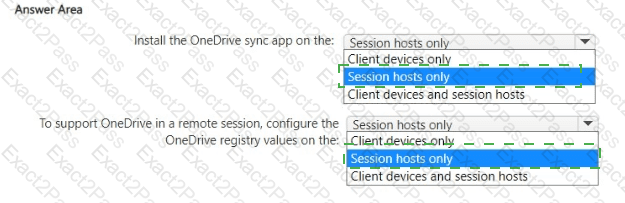
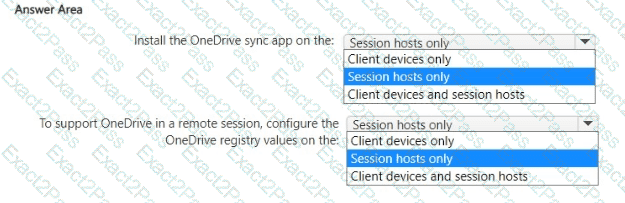
What should you do to meet the application requirements? To answer, select the appropriate options in the answer area.
NOTE: Each correct selection is worth one point.
What should you do to ensure that the session hosts meet the application requirements for App1?