Exact2Pass

Last Update 23 hours ago Total Questions : 314
The Tableau Desktop Specialist Exam content is now fully updated, with all current exam questions added 23 hours ago. Deciding to include Desktop-Specialist practice exam questions in your study plan goes far beyond basic test preparation.
You'll find that our Desktop-Specialist exam questions frequently feature detailed scenarios and practical problem-solving exercises that directly mirror industry challenges. Engaging with these Desktop-Specialist sample sets allows you to effectively manage your time and pace yourself, giving you the ability to finish any Tableau Desktop Specialist Exam practice test comfortably within the allotted time.
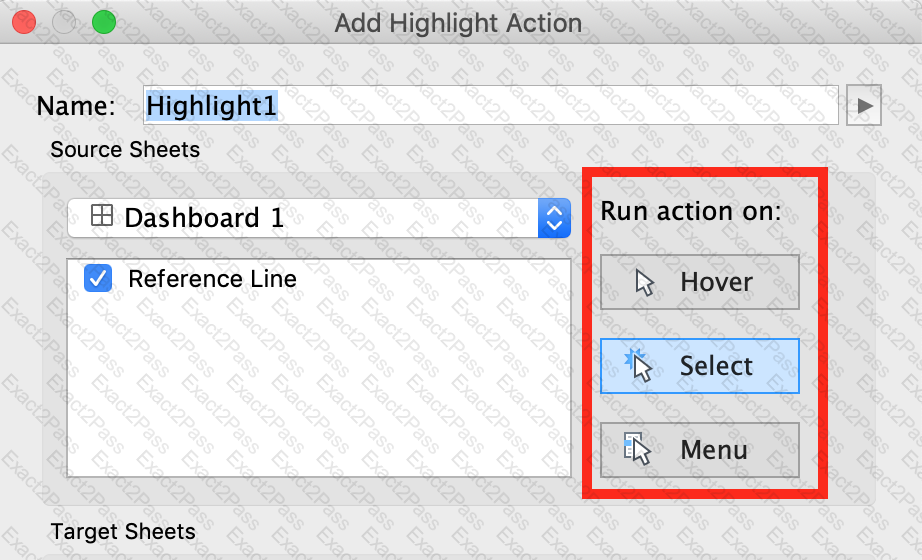
Which of the following are valid ways to trigger actions for a Dashboard?
As a general best practice, how many categories can a pie chart display effectively?
______________ refers to the level of detail for a piece of data, wherever you are looking.
The option to create bins is available for which type of field?
Using the Time Series Table, create a Line chart showing the Monthly Year over Year Growth for the Sales, broken down by Assortment. For the Electronics assortment, which Month had the most NEGATIVE value of Year over Year Growth?
Given a map, which of the following fields can be placed in Size,Shape,Detail,Color
What are two correct methods to change the data type of a field? Choose two.
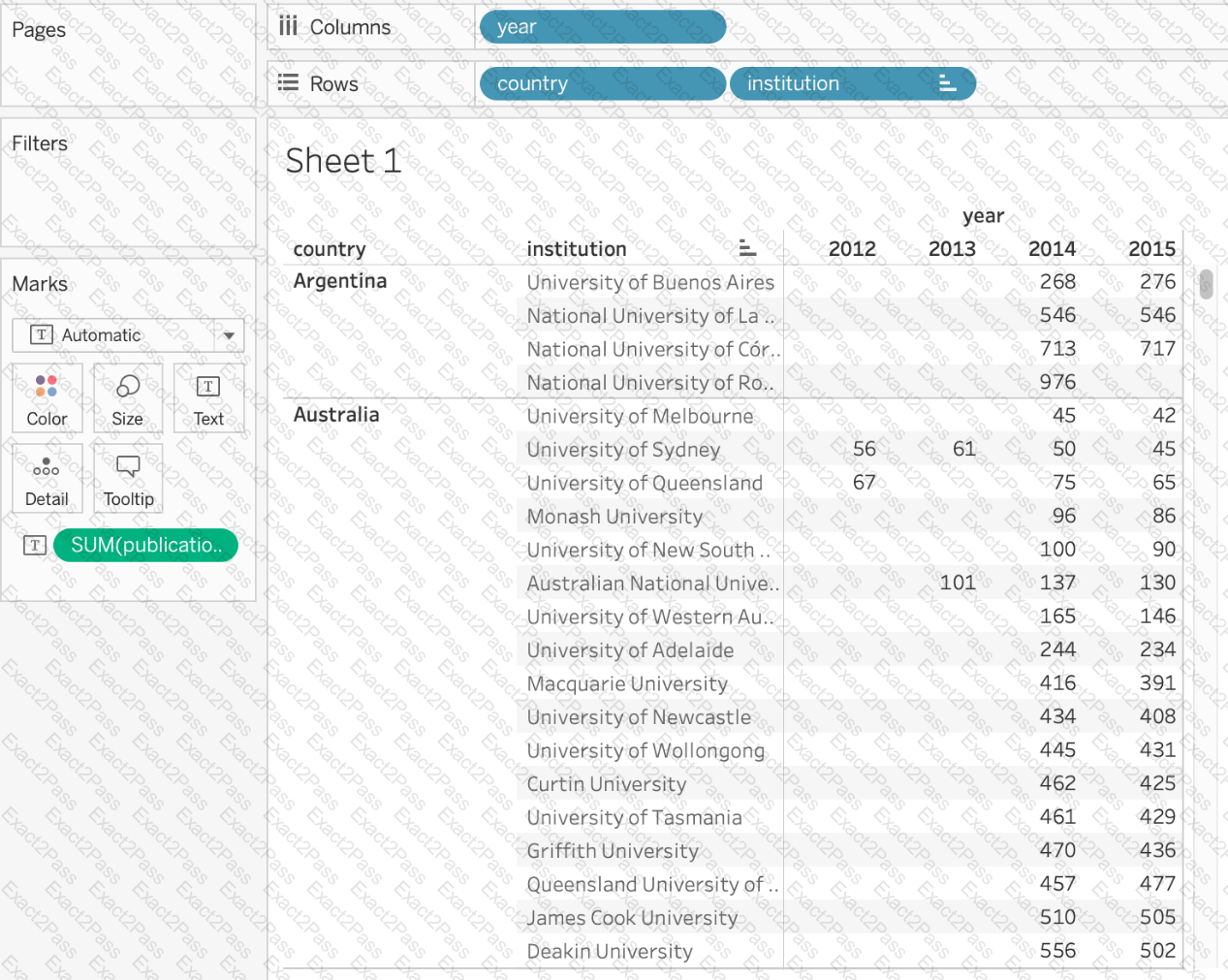
Using the cwurData table, create a cross-tab showing the number of Publications per Country broken down by Institution, and filtered by Country to only show United Kingdown (UK). For the University of Manchester, what percent of the total publications were contributed in 2014?
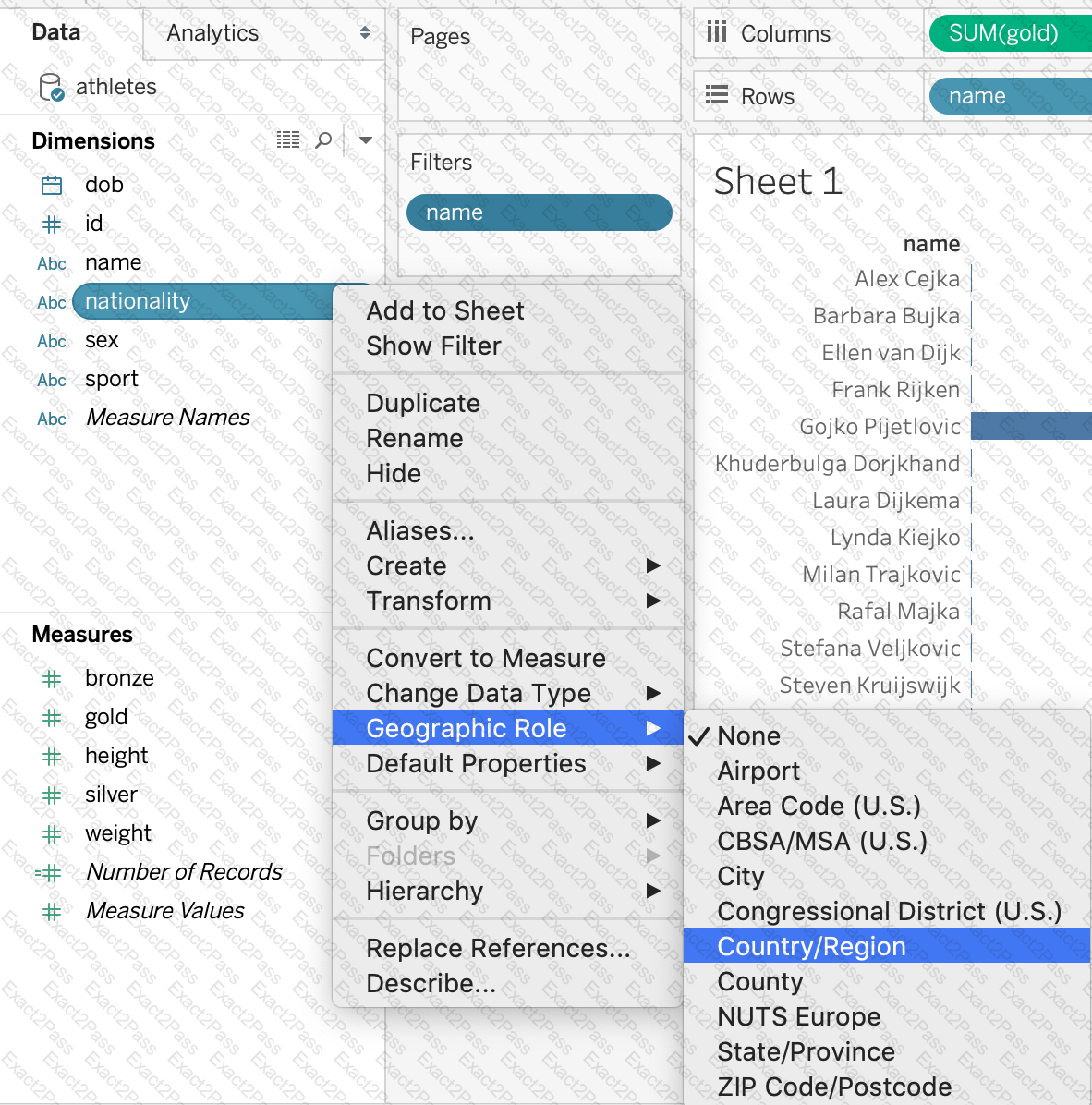
How can you MANUALLY assign geographic roles to a dimension from the data pane?
When using a data source that has relationships, how can you add a join between two or more tables?