Exact2Pass

Last Update 12 hours ago Total Questions : 50
The Qlik Sense System Administrator Certification Exam - June 2018 Release content is now fully updated, with all current exam questions added 12 hours ago. Deciding to include QSSA2018 practice exam questions in your study plan goes far beyond basic test preparation.
You'll find that our QSSA2018 exam questions frequently feature detailed scenarios and practical problem-solving exercises that directly mirror industry challenges. Engaging with these QSSA2018 sample sets allows you to effectively manage your time and pace yourself, giving you the ability to finish any Qlik Sense System Administrator Certification Exam - June 2018 Release practice test comfortably within the allotted time.
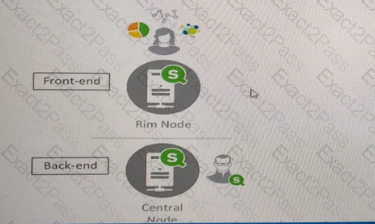
A user reports (hat the Create new app button does NOT consistently appear when logging into the hub The system administrator tries to verify the problem and finds the following
* The user has the correct security rule setup
* The problem can be reproduced in different machines and different browsers
* No error message is related to the user activities in the Qlik Sense logs
* The user can see the Create new app button when directly accessing the central node URL
* The user can NOT see the Create new app button when directly accessing the rim node URL
What is the likely cause of this issue?
A user must connect to a shared folder named ‘’Shareditem’’ located on Machine1. All users have permissions to view the Shareditems folder.
The user maps the Z, drive to access the ‘’Data folder located under Shareditem. The user tries create a new data connection to the shared folder. In the path property section, only ‘’Computer’’ and the C and D drives are available.
What should be entered into the data connection path text box?
A Qlik Sense deployment is planned for 200 users initially. Within a year, the number of users will grow to 2000, with over 100 apps. Most of these users will be the organization’s firewall. There are plans to eventually allows access to some apps to users outside the firewall.
Which two deployment modes will ensure secure access to Qlik Sense apps to users outside the firewall.
Which two deployment models will ensure secure access to Qlik Sense apps by authorized users outside the firewall? (Select two.)
A company decides to more servers from on-premise to cloud A system administrator perform a backup, restore, and bridge the server online. When users open the app on the hub, they get an error message indicating the app could not be found.
The system administrator confirms that apps are present in the required location and NO changes have been made.
What could be causing this issue?
Refer to the exhibit.
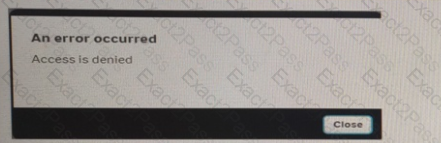
A user from the HR department has access to the HR stream. The rule on the stream is:
When the user tries to open the app in the HR stream, the error in the exhibit displays.

What is causing this error?
A user owns an app that was previously published and wants to delete the app in the hub The user is NOT able to delete the app What could be causing this issue?
A system administrator must make sure that only members of the " Dov " Active Directory group have the Work stream and are able to create Qlik Sense apps.
The administrator creates a security rule that only allows member of the " Dov " group to create apps. but other users can still see the Personal Work area and are able to create apps
What is the cause of this issue?
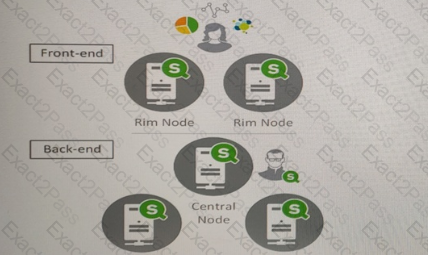
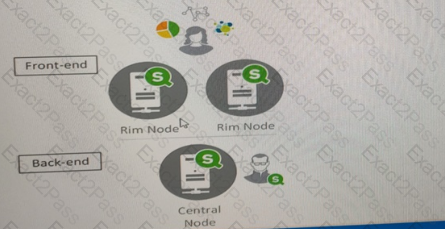
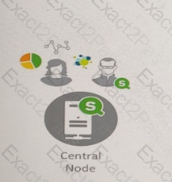
A system administrator must design a Qlik Sense server architecture that meets the following requirements
* Approximately 1000 users will be using apps
* Apps are reloaded outside of office hours
* The total size of data in all apps will be approximately 600 million rows
* Apps must be available 24/7
Which architecture meets these requirements in the most cost efficient way?
A)
B)
C)
D)
Refer to the exhibit.
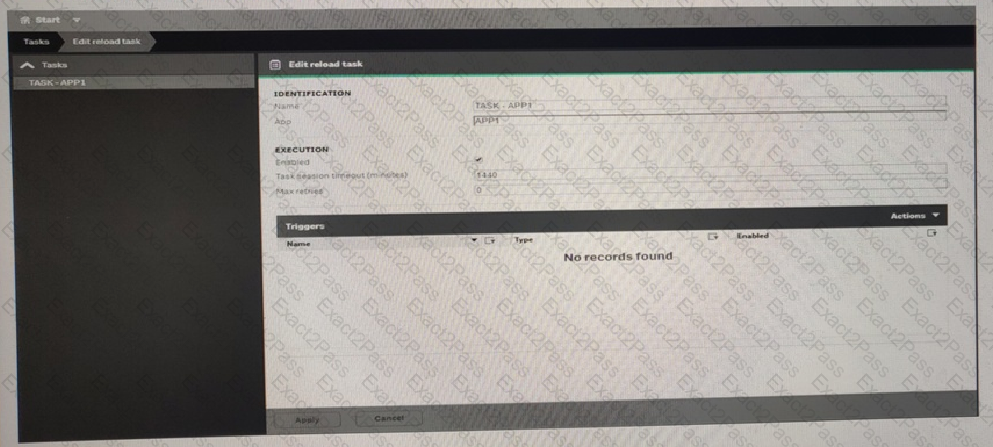
What is the result when the administrator selects the Start button for TASK-APP1 in the Task screen?
A Qlik Sense environment has users from Active Directory A system administrator creates a task to synchronize the users from Active Direct with Qlik Sense.
The system administrator adds a new user to Active Directory, and manually executes the synchronization tasks in Qlik Sense. The administrator observes that the new user NOT added to the Qlik environment.
What should the system administrator do to ensure the new user is added?

