Exact2Pass

Last Update 23 hours ago Total Questions : 204
The Palo Alto Networks XSOAR Engineer content is now fully updated, with all current exam questions added 23 hours ago. Deciding to include XSOAR-Engineer practice exam questions in your study plan goes far beyond basic test preparation.
You'll find that our XSOAR-Engineer exam questions frequently feature detailed scenarios and practical problem-solving exercises that directly mirror industry challenges. Engaging with these XSOAR-Engineer sample sets allows you to effectively manage your time and pace yourself, giving you the ability to finish any Palo Alto Networks XSOAR Engineer practice test comfortably within the allotted time.
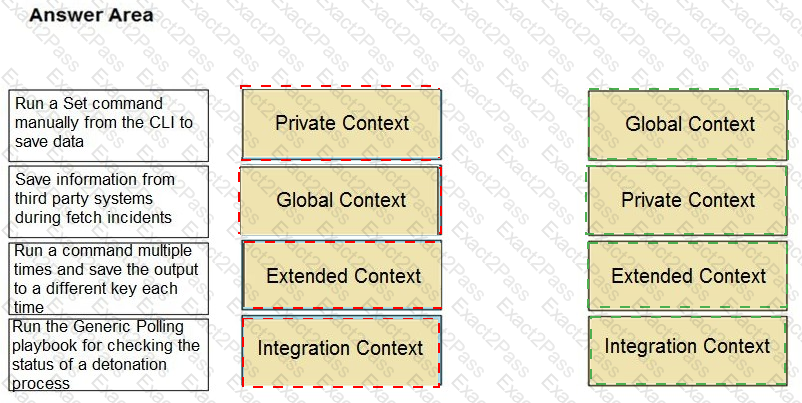
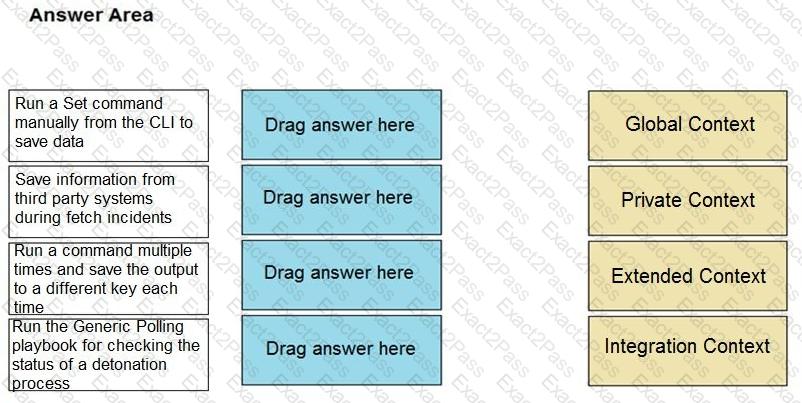
Match the operations with the appropriate context.
Which three options can be defined in the layout settings? (Choose three.)
How long is the trial period for paid content packs?
What will happen if a playbook debugger is left running for more than 24 hours?
When browsing the Marketplace for new content packs, which details about each pack are you able to view?
When the verdict of an indicator is set manually, which source reliability does it receive?.
A playbook loop that interacts with Active Directory for user details (yielding extensive data) is altered to extract newly acquired indicators of compromise (IOCs). This change results in two critical issues:
• Rate limits being hit on integrated reputation services
• Incidents associated with hundreds of indicators
Given the settings below, what would prevent the issues in this use case?
Incident Type: AD-Analysis –
Extract Indicators on Incident Creation: Use System Default (None)
Extract Indicators on Field Change: Inline
Task 1: ad-get-user –
Mark results as note: False –
Indicator Extract Mode: Inline –
Quiet Mode: False –
Task 2: ad-disable-account –
Mark results as note: True –
Indicator Extract Mode: None –
Quiet Mode: True –
Task 3: servicenow-update-ticket –
Mark results as note: False –
Indicator Extract Mode: Use System Default
Quiet Mode: False
An administrator has noticed that an incident fetch has failed, causing several internal workflows to be backed up. The administrator would like to receive notifications the next time the incident fetch fails.
How can they achieve this?
When creating an automation in XSOAR, what is the best way to create a log message?
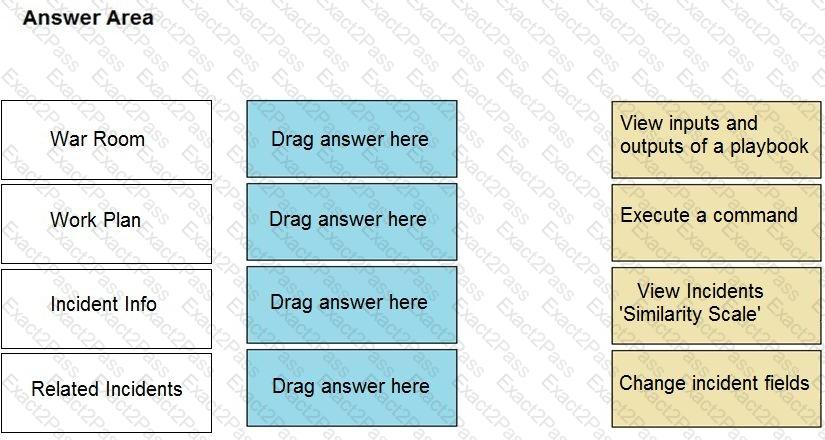
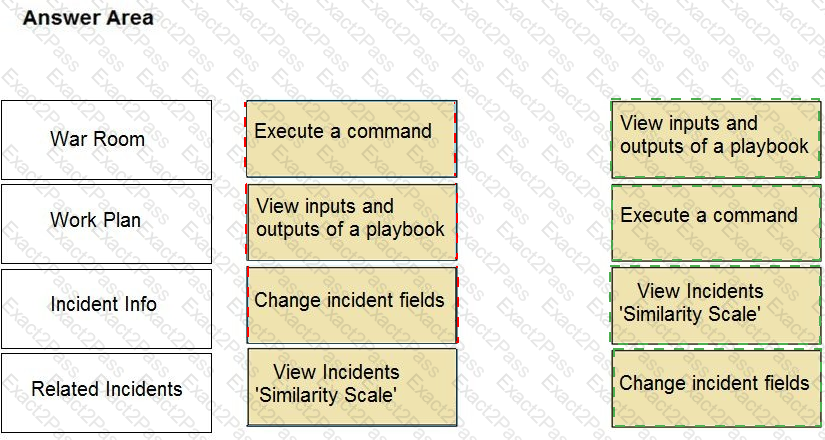
Match the appropriate action to the layout type.