Exact2Pass

Last Update 9 hours ago Total Questions : 89
The VMware Horizon 8.x Professional content is now fully updated, with all current exam questions added 9 hours ago. Deciding to include 2V0-51.23 practice exam questions in your study plan goes far beyond basic test preparation.
You'll find that our 2V0-51.23 exam questions frequently feature detailed scenarios and practical problem-solving exercises that directly mirror industry challenges. Engaging with these 2V0-51.23 sample sets allows you to effectively manage your time and pace yourself, giving you the ability to finish any VMware Horizon 8.x Professional practice test comfortably within the allotted time.
An administrator recently deployed a Horizon pod with external access using Unified Access Gateway (UAG). While trying to launch VDI from an External network, VDI launches with a black screen and then disconnects. The administrator has validated the port requirement and all other required ports are open. Users are able to connect internally using the connection server URL. While reviewing the UAG logs, the administrator found that the Blast connection is hitting the Connection Server instead of VDI IP.
What should the administrator do to resolve the issue?
Which two options describe how an administrator can access the settings and status of a pool? (Choose two.)
A junior-level Horizon administrator is not able to see all RDS farms.
Where would a high-level administrator need to make changes to correct the issue?
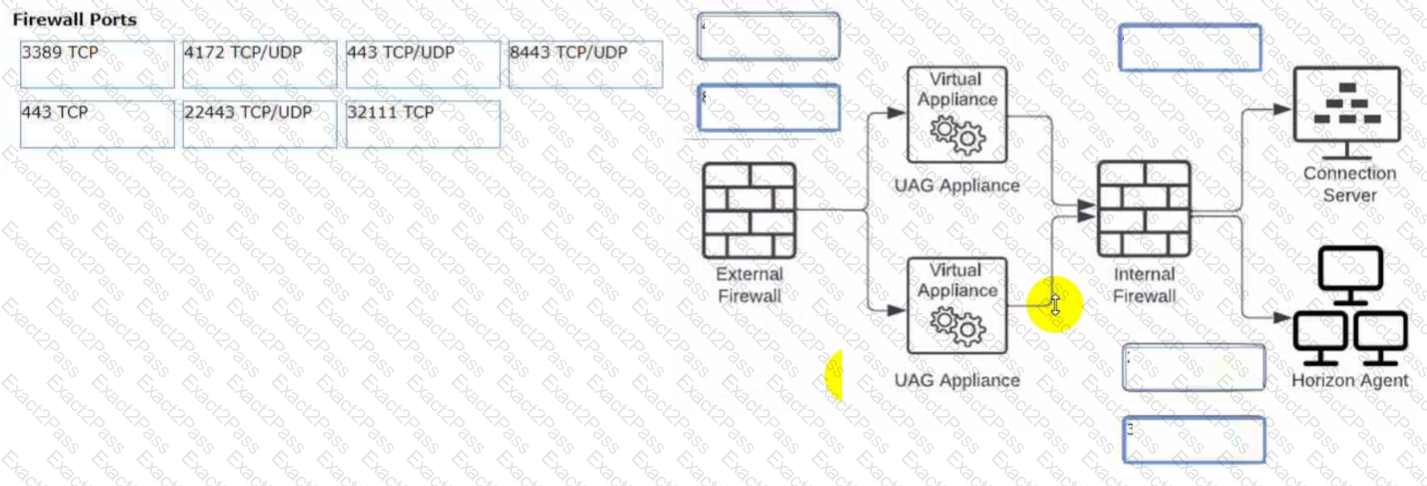
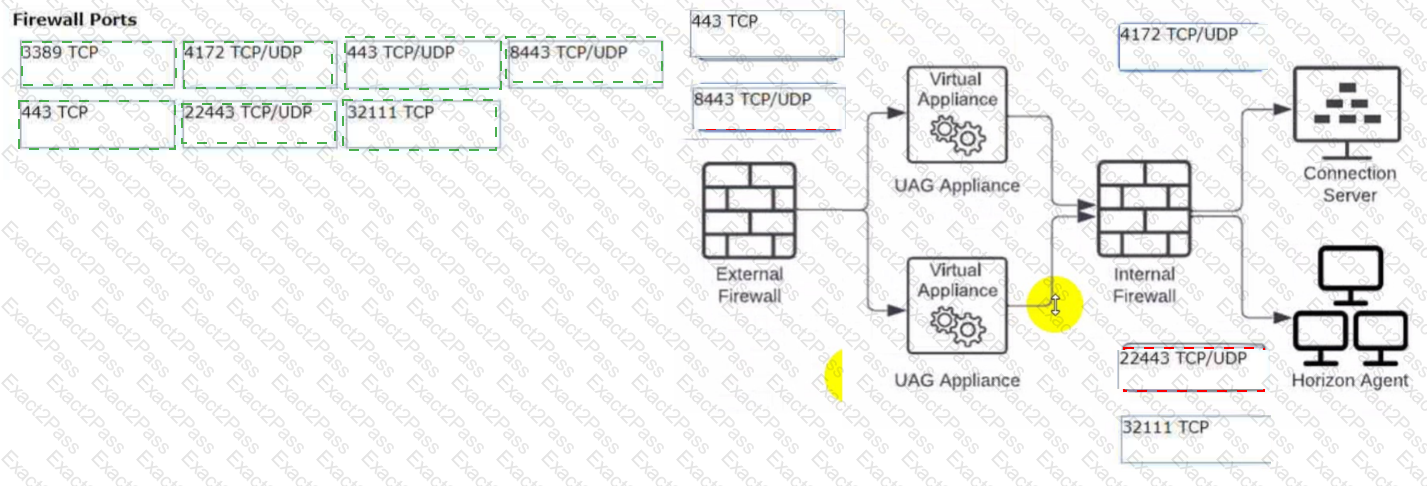
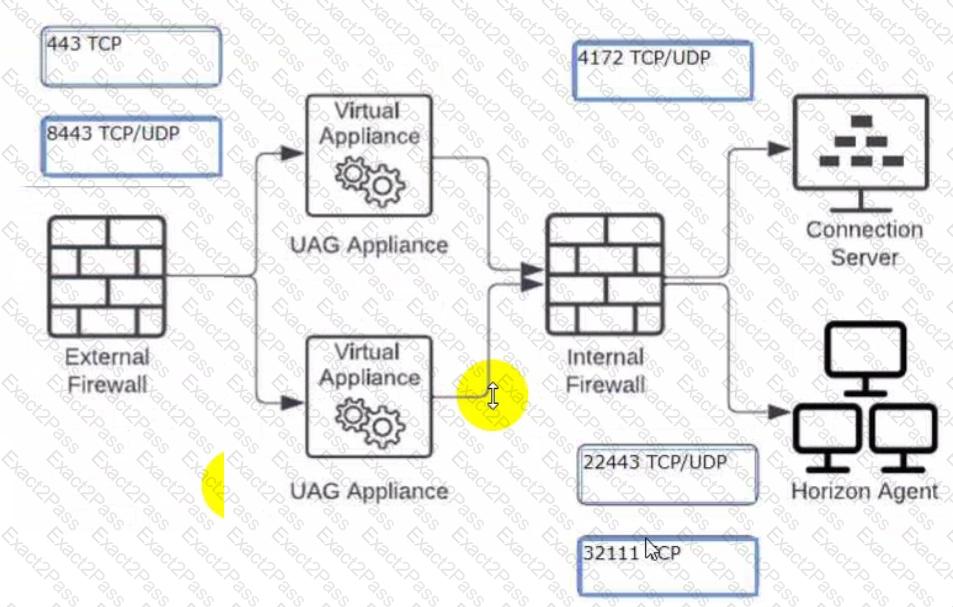
Refer to the exhibit.
Drag and drop the appropriate firewall ports in support of the Blast Extreme protocol into the correct locations in the diagram on the right.
Two options will not be used.
Which three of the following are benefits of using Virtual Machines? (Choose three.)
What are two Cloud Pod Architecture feature limitations? (Choose two.)


 C:\Users\Waqas Shahid\Desktop\Mudassir\Untitled.jpg