Exact2Pass

Last Update 21 hours ago Total Questions : 382
The UiPath Automation Developer Associate Exam (2023.10) content is now fully updated, with all current exam questions added 21 hours ago. Deciding to include UiPath-ADAv1 practice exam questions in your study plan goes far beyond basic test preparation.
You'll find that our UiPath-ADAv1 exam questions frequently feature detailed scenarios and practical problem-solving exercises that directly mirror industry challenges. Engaging with these UiPath-ADAv1 sample sets allows you to effectively manage your time and pace yourself, giving you the ability to finish any UiPath Automation Developer Associate Exam (2023.10) practice test comfortably within the allotted time.
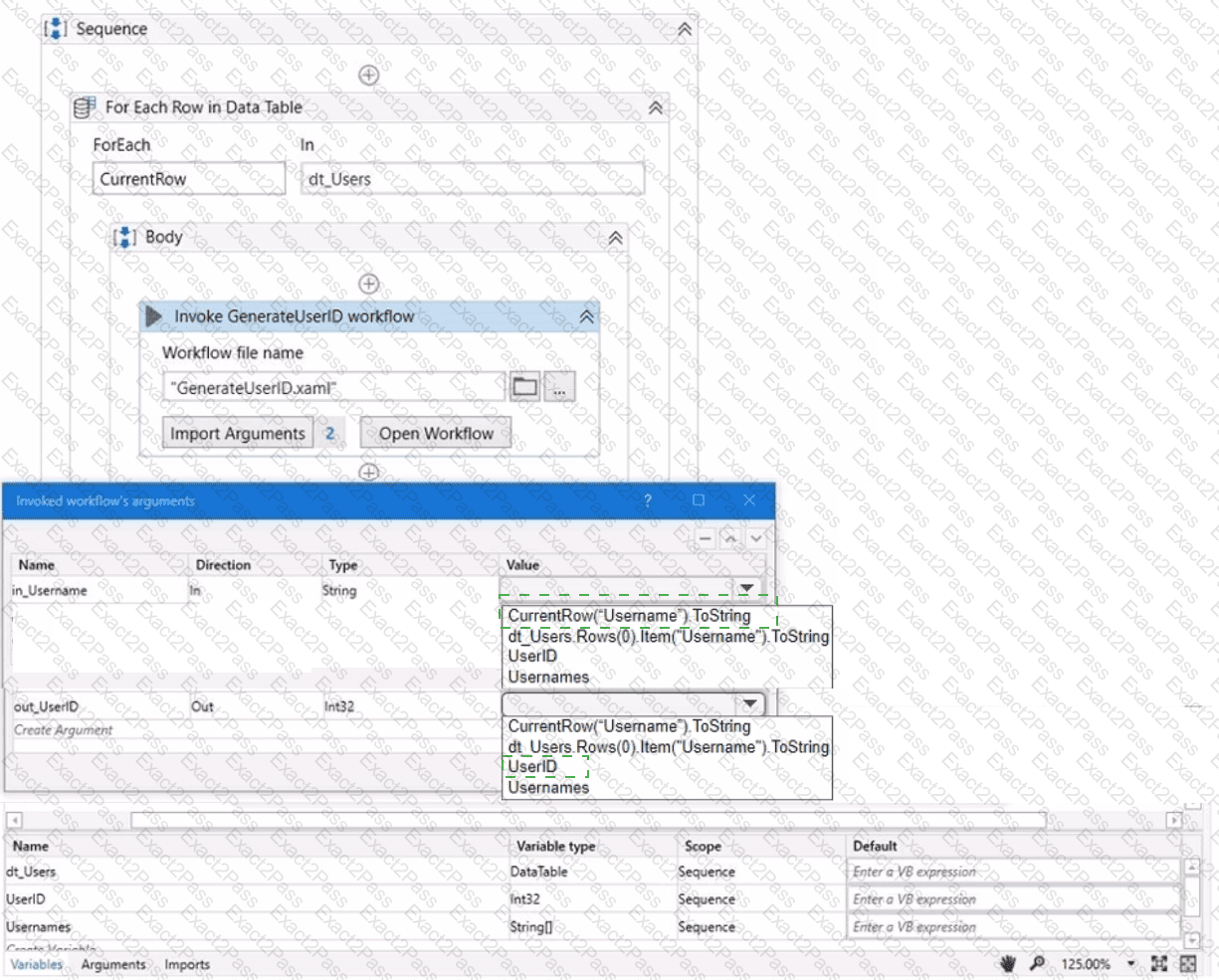
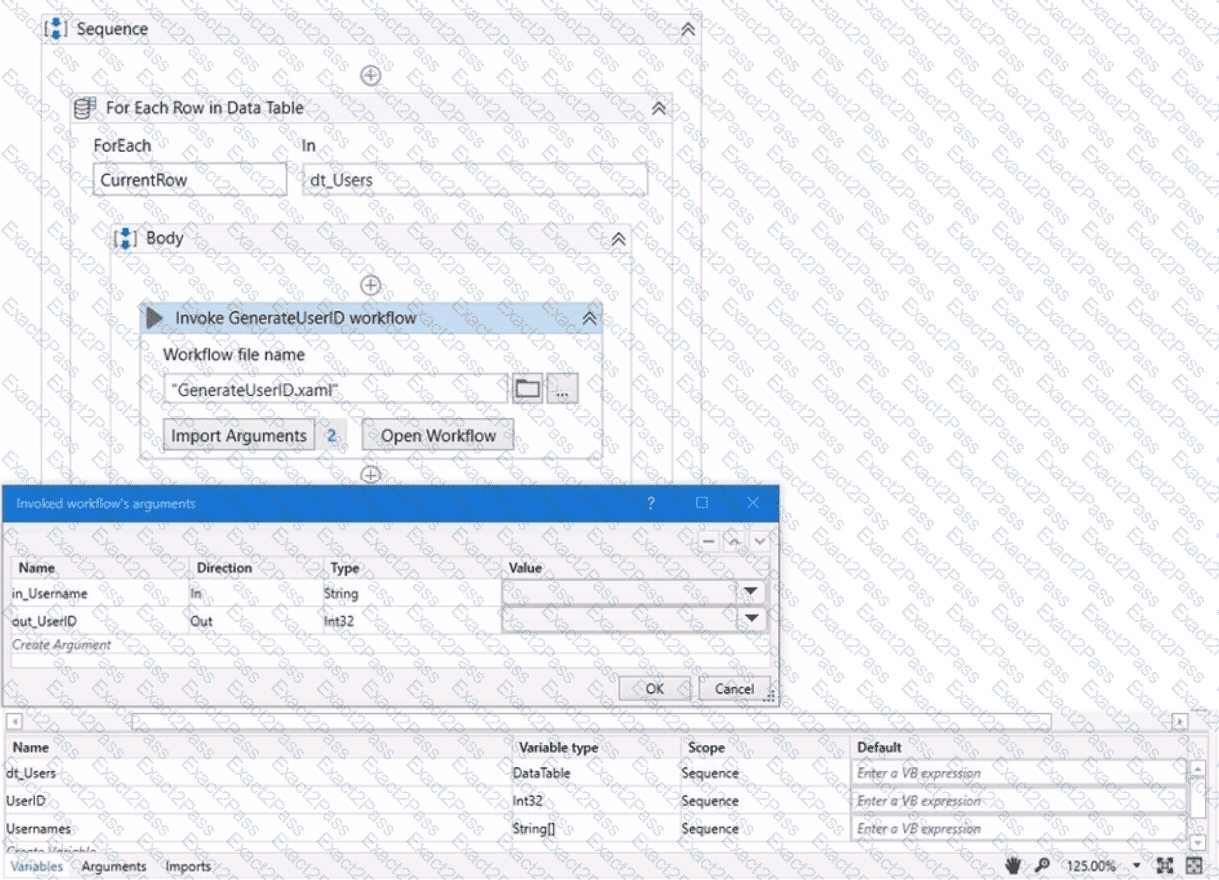
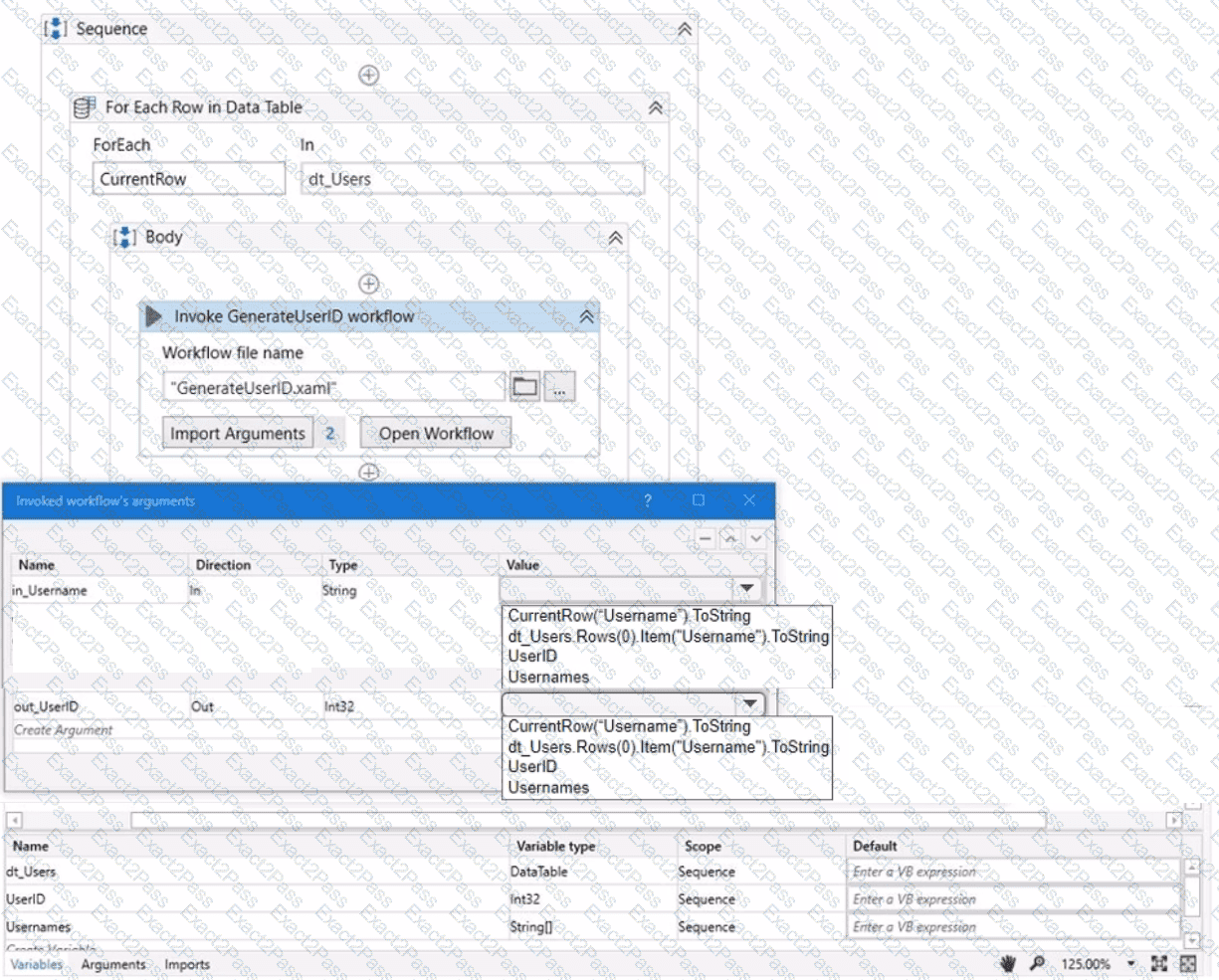
A developer wants to map the arguments that pass data to and from GenerateUserlD.xaml to the appropriate values in Main.xaml. The dt_Users datatable variable contains the columns First Name: Last Name Date of Birth and Username.
Instructions: From the Value drop-down lists shown in the following exhibit, select the correct variable that corresponds to each argument.
If you rename an activity that has an automatically generated output variable in a cross-platform project, how does it impact the generated variable?
Which actions can a Business Rule take without scripting?
A developer needs to create a process for the Human Resources team. During the development, they try to run the workflow containing the following dictionary variable:
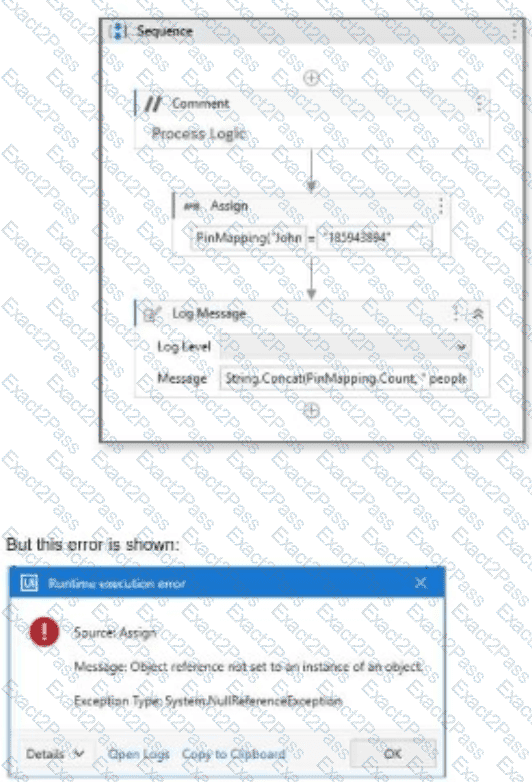
What is the possible cause of the error in the workflow?
A developer created a datatable, dt_Users as shown in the following exhibit.
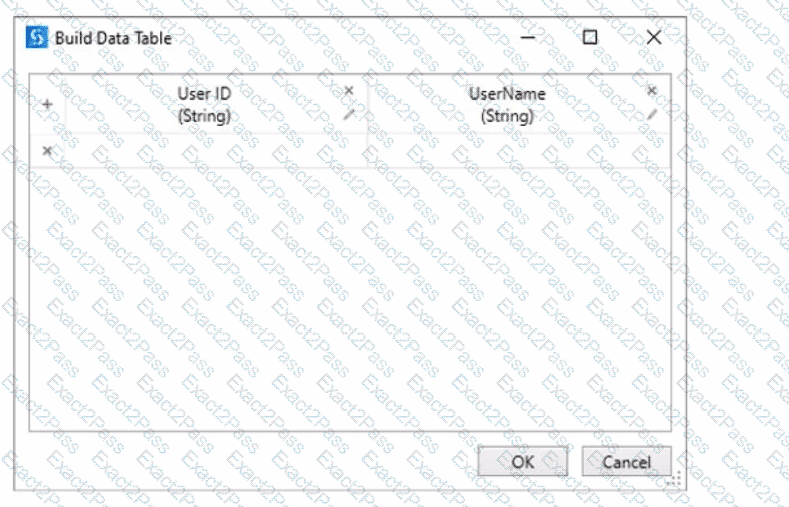
After populating the datatable variable, the developer wants to assign each User ID in dt_Users to a List < String > variable Users_List. To achieve this, the developer plans to use an Add To Collection activity inside a For Each Row activity.
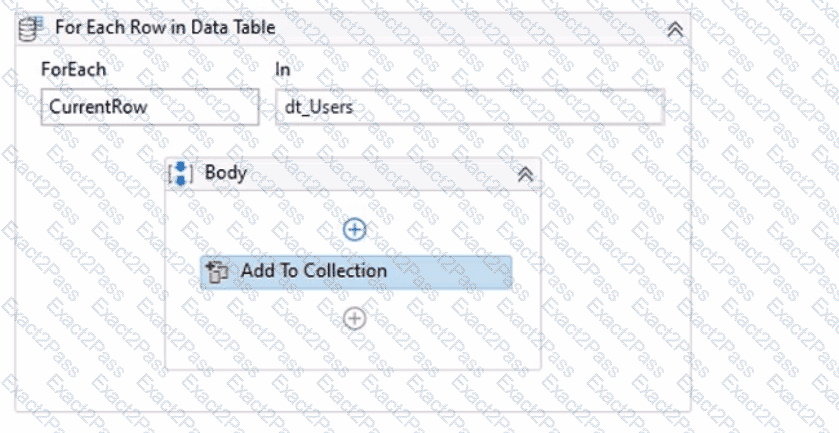
How should the Item property of the Add To Collection activity be configured?
A user reported unexpected behavior from a process that is in Production. After reviewing the process, a developer noticed that one of the Queue Items that was processed has a status of " Abandoned " in UiPath Orchestrator.
When is a Queue Item moved to an " Abandoned " status in UiPath Orchestrator?
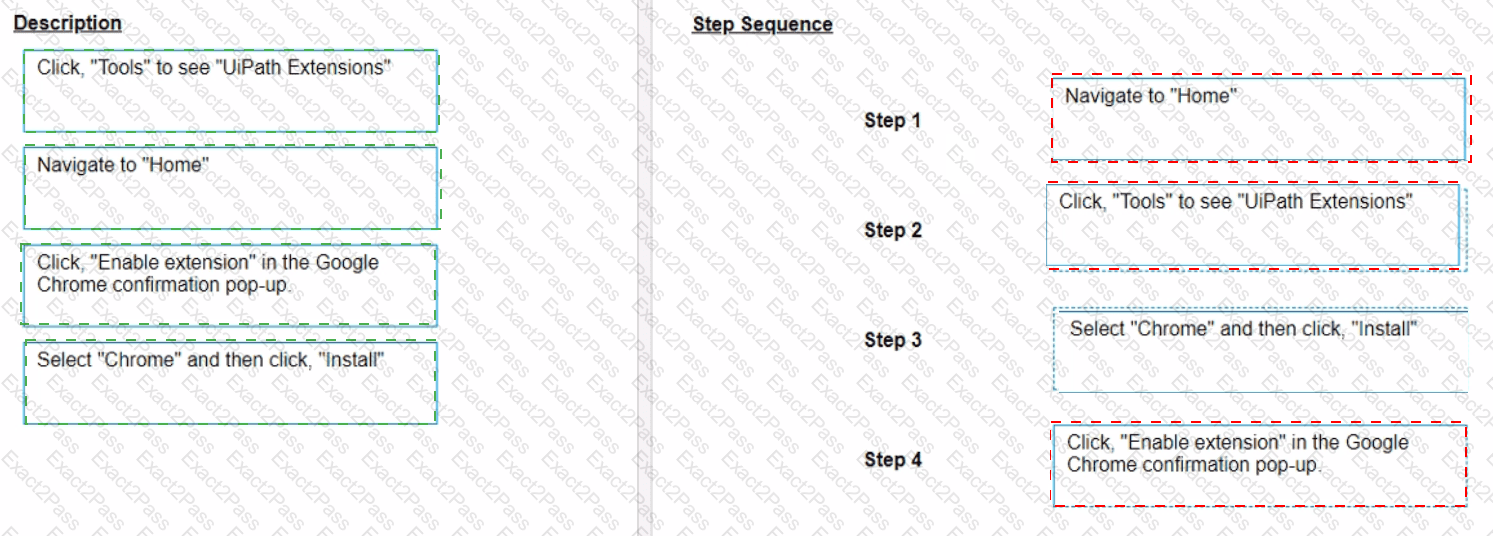
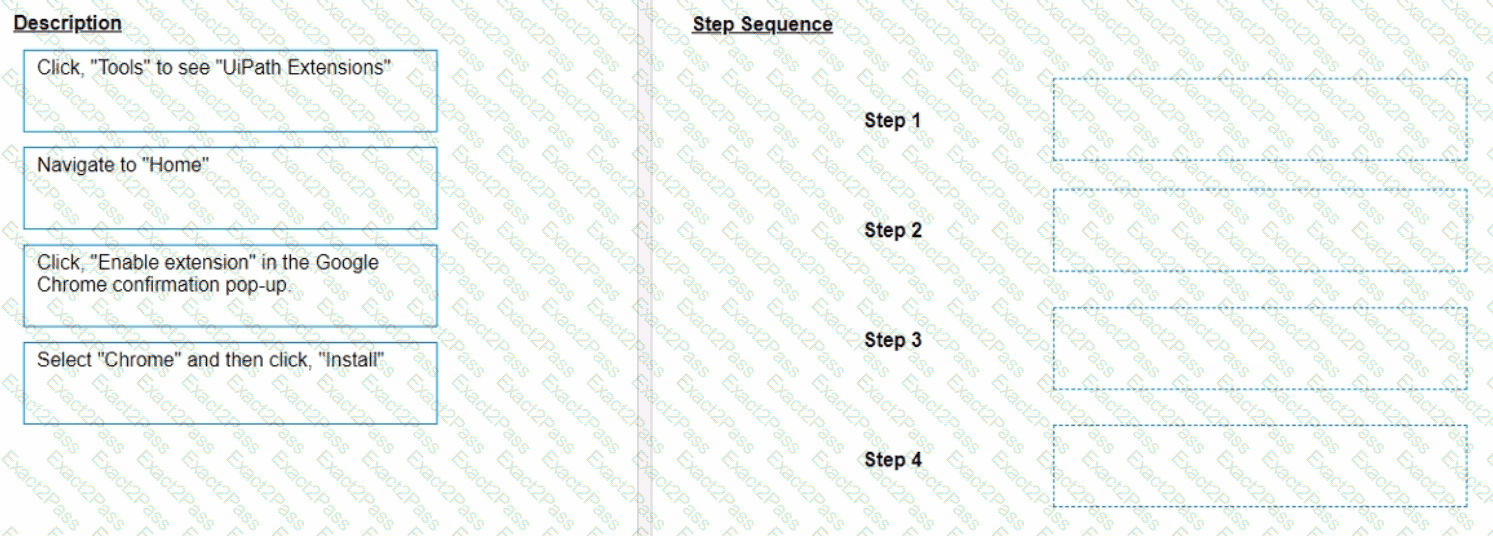
A developer loaded an existing workflow that uses Ul Automation in Google Chrome. The Google Chrome extension has not been installed on the developer ' s machine How should the developer load the Google Chrome extension from UiPath Studio?
Instructions: Drag the Description found on the left and drop on the correct Step found on the right.
In a process, a variable called ' Timestamp ' of type DateTime is used. The developer wants to print the variable in the format " yyyy-MM-dd hh:mm " .
Which expression should be used?
A developer executes the following workflow in Debug mode with " Continue on Exception " enabled.
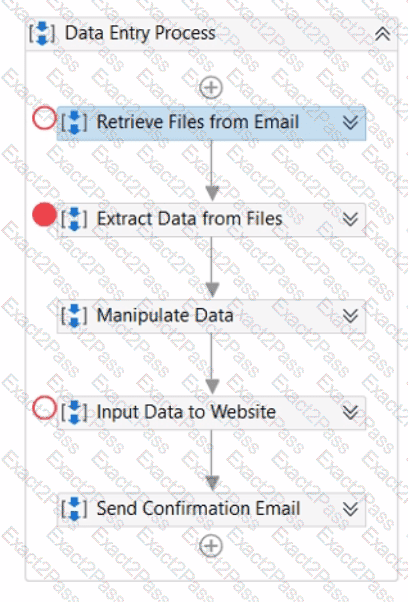
How many times will the workflow pause the execution?
What are the differences between the Workbook Write Range and Excel Application Integration Write Range activities in writing a DataTable to an Excel file?