Exact2Pass

Last Update 23 hours ago Total Questions : 87
The AI Business Professional content is now fully updated, with all current exam questions added 23 hours ago. Deciding to include AB-730 practice exam questions in your study plan goes far beyond basic test preparation.
You'll find that our AB-730 exam questions frequently feature detailed scenarios and practical problem-solving exercises that directly mirror industry challenges. Engaging with these AB-730 sample sets allows you to effectively manage your time and pace yourself, giving you the ability to finish any AI Business Professional practice test comfortably within the allotted time.
You have an open Microsoft 365 Copilot conversation.
You need to chat with an agent named Agent1 during the conversation.
What should you enter to call Agent1?
You are creating a custom agent in the Microsoft 365 Copilot app for the marketing team at your company. The agent will be used to produce marketing collateral, including copy, logos, and artwork.
What should you add to the agent? More than one answer choice may achieve the goal. Select the BEST answer.
You plan to use a notebook in Microsoft 365 Copilot.
What is the purpose of a notebook?
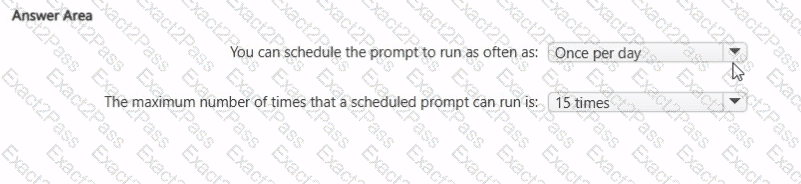
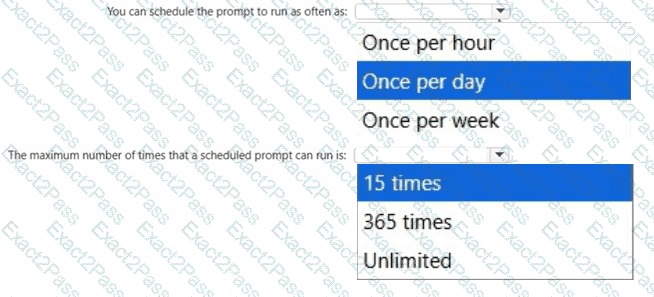
What are two limitations of prompt scheduling in Microsoft 365 Copilot? To answer, select the appropriate options in the answer area.
NOTE: Each correct selection is worth one point.
You have a Microsoft Excel workbook open that contains a table. The table contains sales data and the following columns:
• OrderDate
• OrderNumber
• Amount
You plan to use Microsoft Copilot in Excel to generate a monthly summary of the sales data in the table.
What should you include in the prompt to generate an effective summary? More than one answer choice may achieve the goal. Select the BEST answer.
What is the purpose of adding custom instructions in Microsoft 365 Copilot?
You need to improve prompt-grounding during a Microsoft 365 Copilot conversation.
What is the best approach to achieve the goal? More than one answer choice may achieve the goal. Select the BEST answer.
You use Microsoft 365 Copilot.
Which two factors should you consider when creating an effective prompt? Each correct answer presents a complete solution.
NOTE: Each correct selection is worth one point.
You create a Microsoft 365 Copilot notebook and add a file named Process.docx from a Microsoft SharePoint site as a reference.
Yesterday, a user updated Process.docx in the SharePoint site.
What will occur when you chat in the notebook?
Select the answer that correctly completes the sentence.