Exact2Pass

Last Update 3 hours ago Total Questions : 470
The Microsoft Power BI Data Analyst content is now fully updated, with all current exam questions added 3 hours ago. Deciding to include PL-300 practice exam questions in your study plan goes far beyond basic test preparation.
You'll find that our PL-300 exam questions frequently feature detailed scenarios and practical problem-solving exercises that directly mirror industry challenges. Engaging with these PL-300 sample sets allows you to effectively manage your time and pace yourself, giving you the ability to finish any Microsoft Power BI Data Analyst practice test comfortably within the allotted time.
You need to recommend a strategy to consistently define the business unit, department, and product category data and make the data usable across reports.
What should you recommend?
You need to create the relationship between the product list and the revenue results. The solution must minimize the time it takes to render visuals.
What should you set as the relationship cardinality?
You need to design the data model to meet the report requirements.
What should you do in Power BI Desktop?
You need to design the data model and the relationships for the Customer Details worksheet and the Orders table by using Power BI. The solution must meet the report requirements.
For each of the following statement, select Yes if the statement is true, Otherwise, select No.
NOTE: Each correct selection is worth one point.

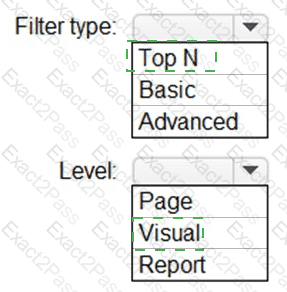
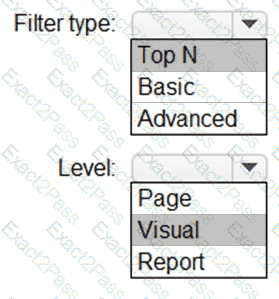
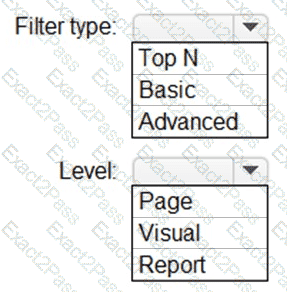
You need to create the Top Customers report.
Which type of filter should you use, and at which level should you apply the filter? To answer, select the appropriate options in the answer area.
NOTE: Each correct selection is worth one point.
You need to configure access for the sales department users. The solution must me meet the security requirements. What should you do?
You need to create a solution to meet the notification requirements of the warehouse shipping department.
What should you do? To answer, select the appropriate options in the answer area.
NOTE: Each correct select is worth one point:

You need to create a relationship in the dataset for RLS.
What should you do? To answer, select the appropriate options in the answer area.
NOTE: Each correct selection is worth one point.

You use Power Query to import two tables named Order Header and Order Details from an Azure SQL database. The Order Header table relates to the Order Details table by using a column named Order ID in each table.
You need to combine the tables into a single query that contains the unique columns of each table.
What should you select in Power Query Editor?
You need to minimize the size of the semantic model. The solution must meet the report requirements.
What should you do?