Exact2Pass

Last Update 15 hours ago Total Questions : 444
The Securing Networks with Cisco Firepower (300-710 SNCF) v1.2 content is now fully updated, with all current exam questions added 15 hours ago. Deciding to include 300-710 practice exam questions in your study plan goes far beyond basic test preparation.
You'll find that our 300-710 exam questions frequently feature detailed scenarios and practical problem-solving exercises that directly mirror industry challenges. Engaging with these 300-710 sample sets allows you to effectively manage your time and pace yourself, giving you the ability to finish any Securing Networks with Cisco Firepower (300-710 SNCF) v1.2 practice test comfortably within the allotted time.
Refer to the exhibit.
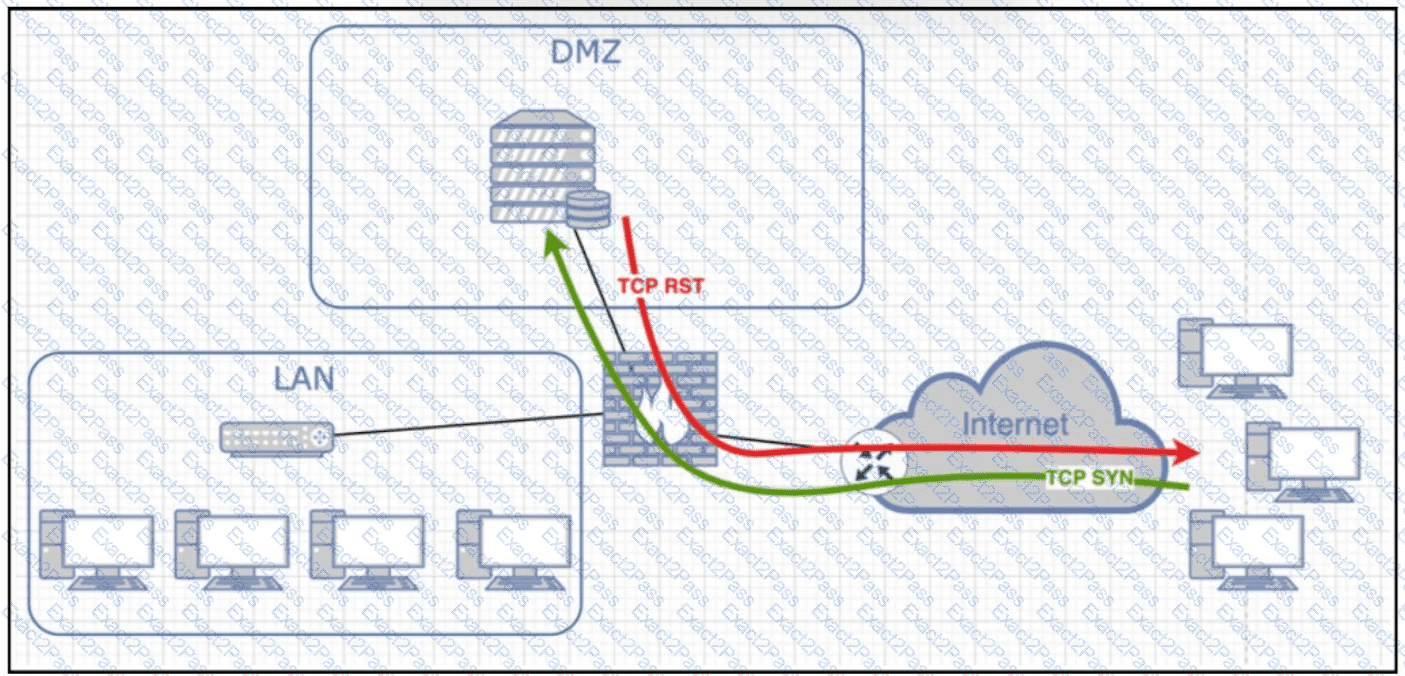
Following a critical incident, an engineer must determine why a server in the DMZ is sending TCP RST responses. Internet users can access the application but cannot view its main webpage. Where must the engineer capture the traffic to identify and resolve the issue?
A network engineer must provide a high-level statistical summary of a Cisco Secure Firewall Threat Defense device. The organization is approaching its peak season, so network downtime must be minimized. Which type of report must the network engineer use?
Which language searches and analyzes data within Splunk for threat detection?
In a multi-tennent deployment where multiple domains are in use. which update should be applied outside of the Global Domain?
Which process should be checked when troubleshooting registration issues between Cisco FMC and managed devices to verify that secure communication is occurring?
An engineer must configure a new identity policy in Cisco Firepower Management Center. Active authentication must be configured by using a Kerberos connection. Which two realms must be configured? (Choose two.)
An engineer integrates Cisco FMC and Cisco ISE using pxGrid. Which role is assigned for Cisco FMC?
What is the role of the casebook feature in Cisco Threat Response?
Refer to the exhibit.
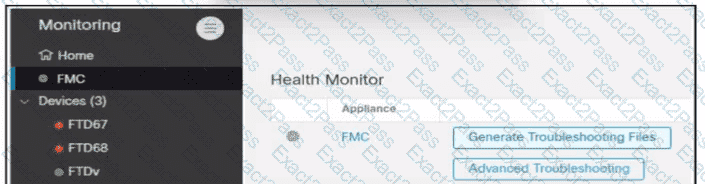
An engineer generates troubleshooting files in Cisco Secure Firewall Management Center (FMC). A successfully completed task Is removed before the files are downloaded. Which two actions must be taken to determine the filename and obtain the generated troubleshooting files without regenerating them? (Choose two.)
A network administrator is trying to configure Active Directory authentication for VPN authentication to a Cisco Secure Firewall Threat Defence instance that is registered with Cisco Secure Firewall Management Center. Which system settings must be configured first in Secure Firewall Management Center to accomplish the goal?

